

1️⃣Intro
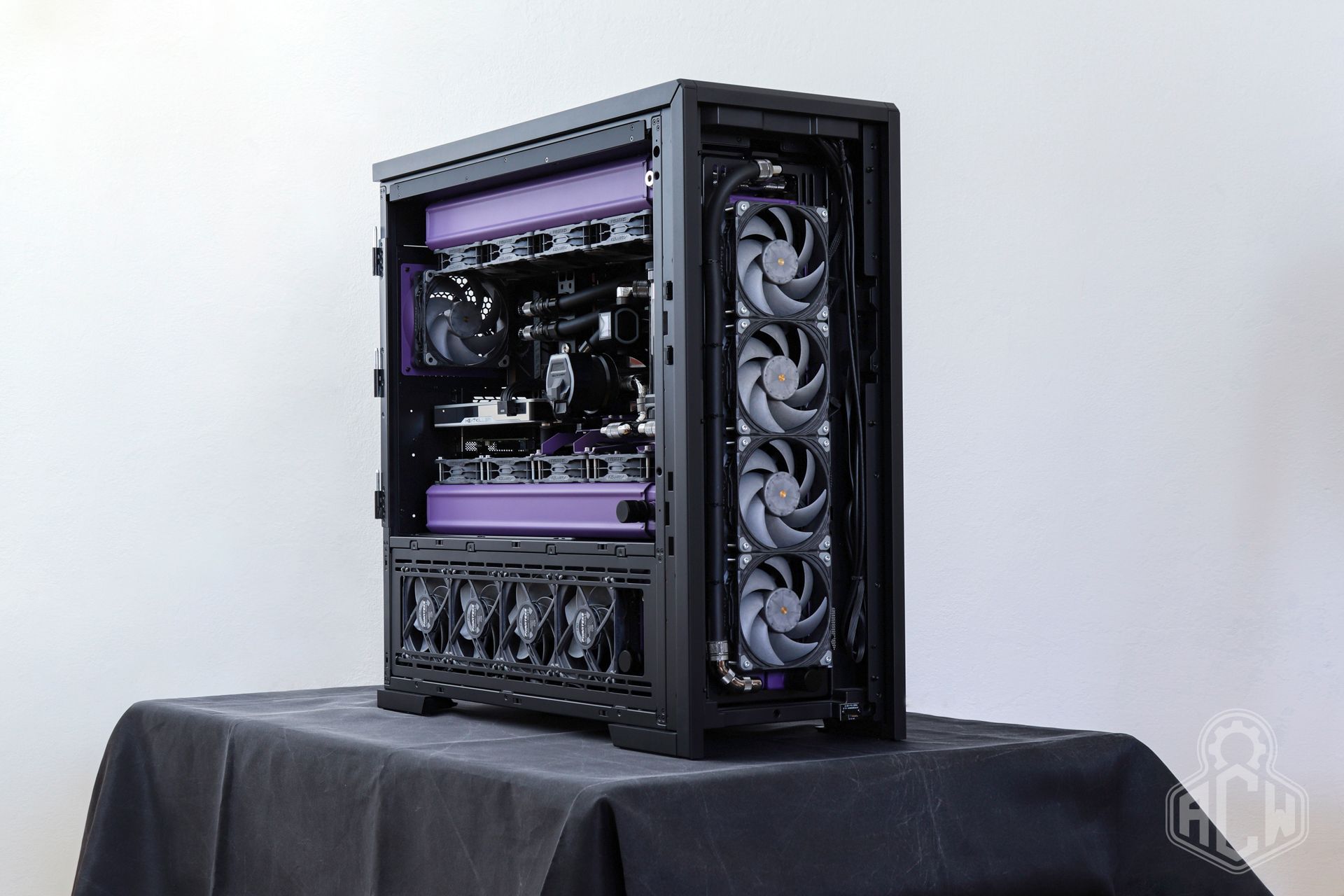
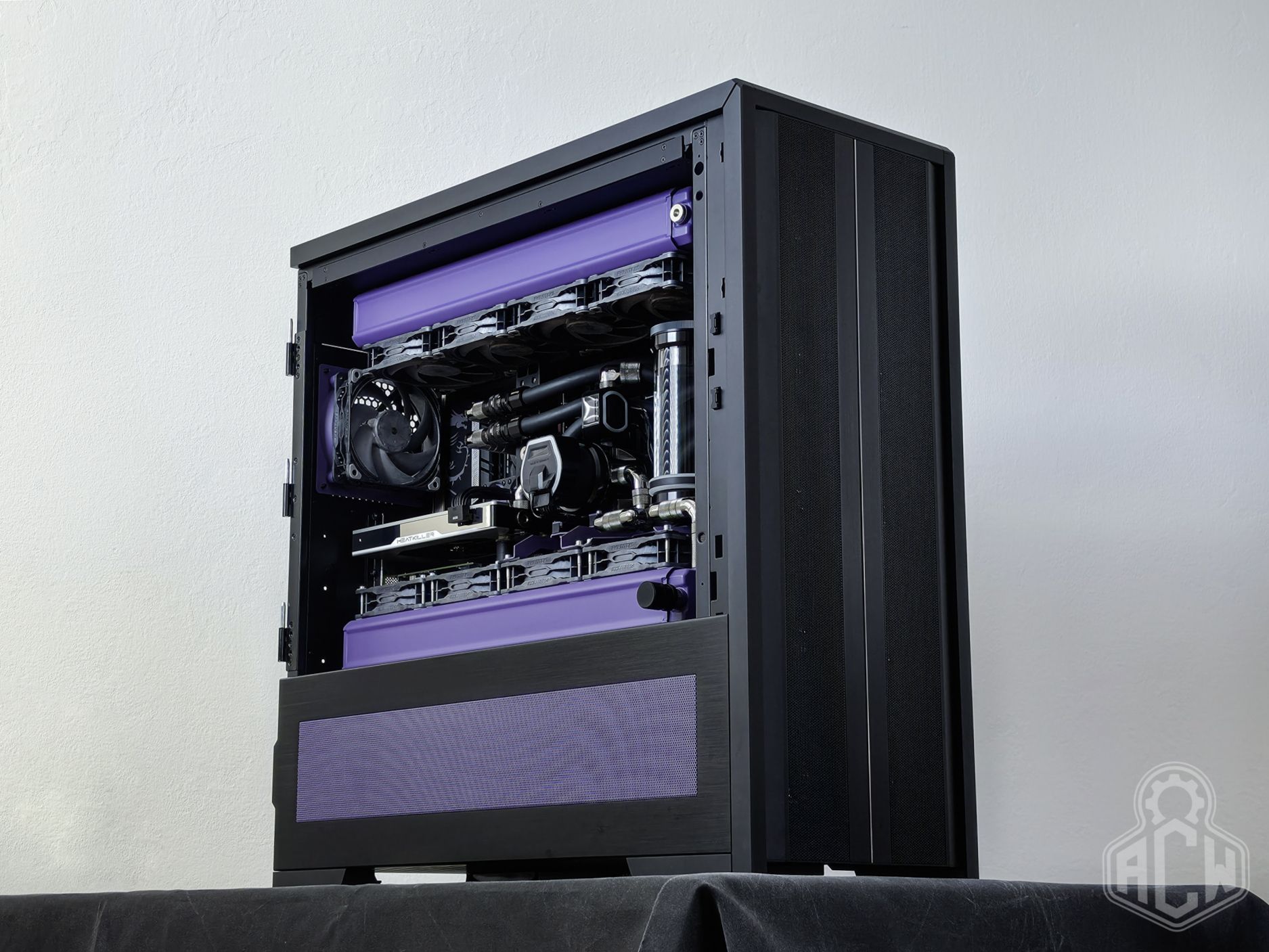
👑 To mark the redesign of our corporate identity, we’d been planning a presentation setup in our new colors for quite some time. We wanted something unconventional—and perhaps a little controversial. Instagram is now full of water-cooled builds with hardline tubes and tons of RGB lighting, where functionality itself is secondary. Computers mounted on walls or built into desks have been appearing in the enthusiast community for a decade now. We took the complete opposite approach.
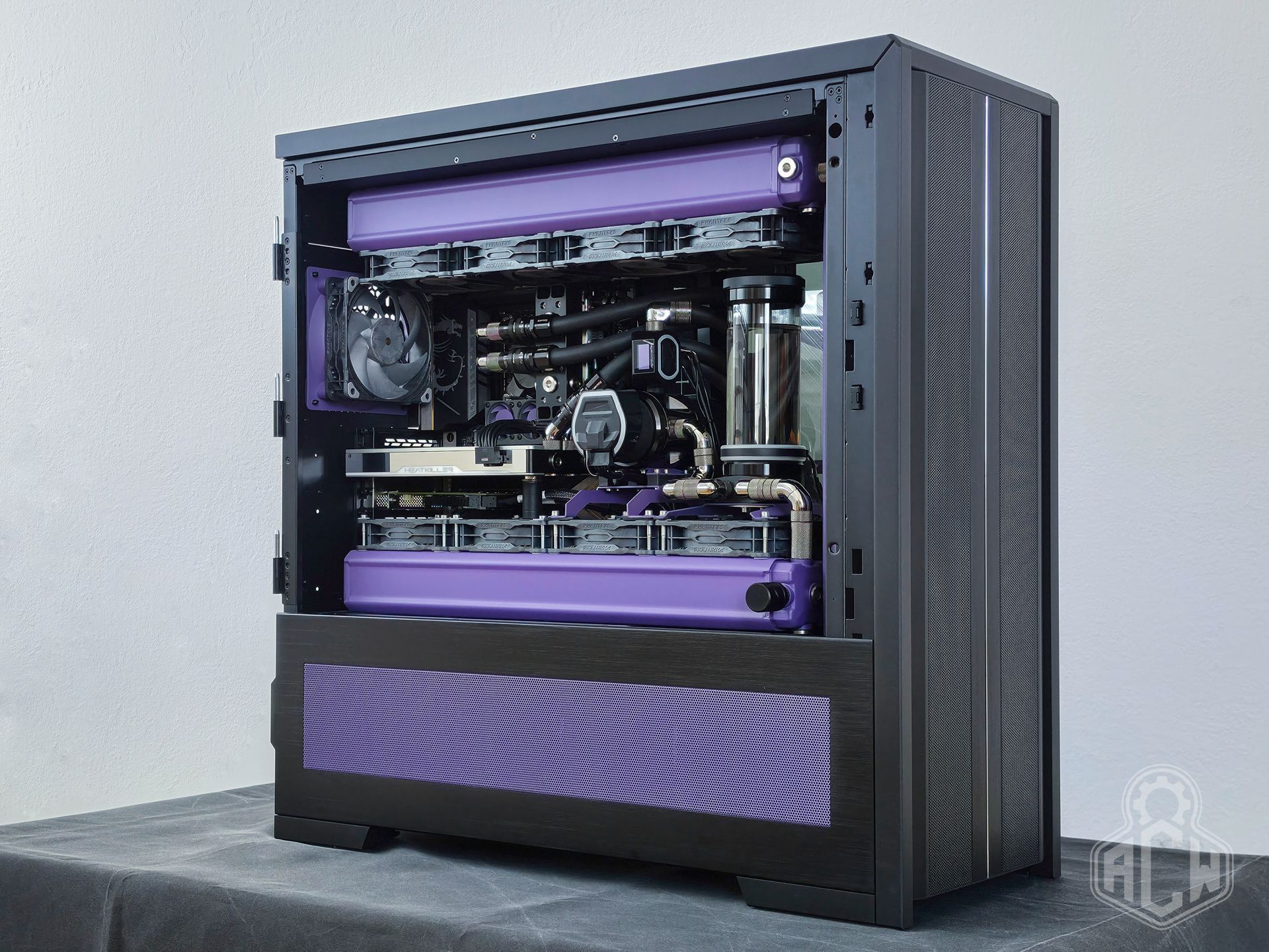
🧠 There’s no point in trying to reinvent the wheel. We simply decided to build something absurd and technically over-engineered—a machine that would showcase the possibilities of custom solutions while also allowing for hassle-free maintenance. A computer built for longevity, not for disposable use.
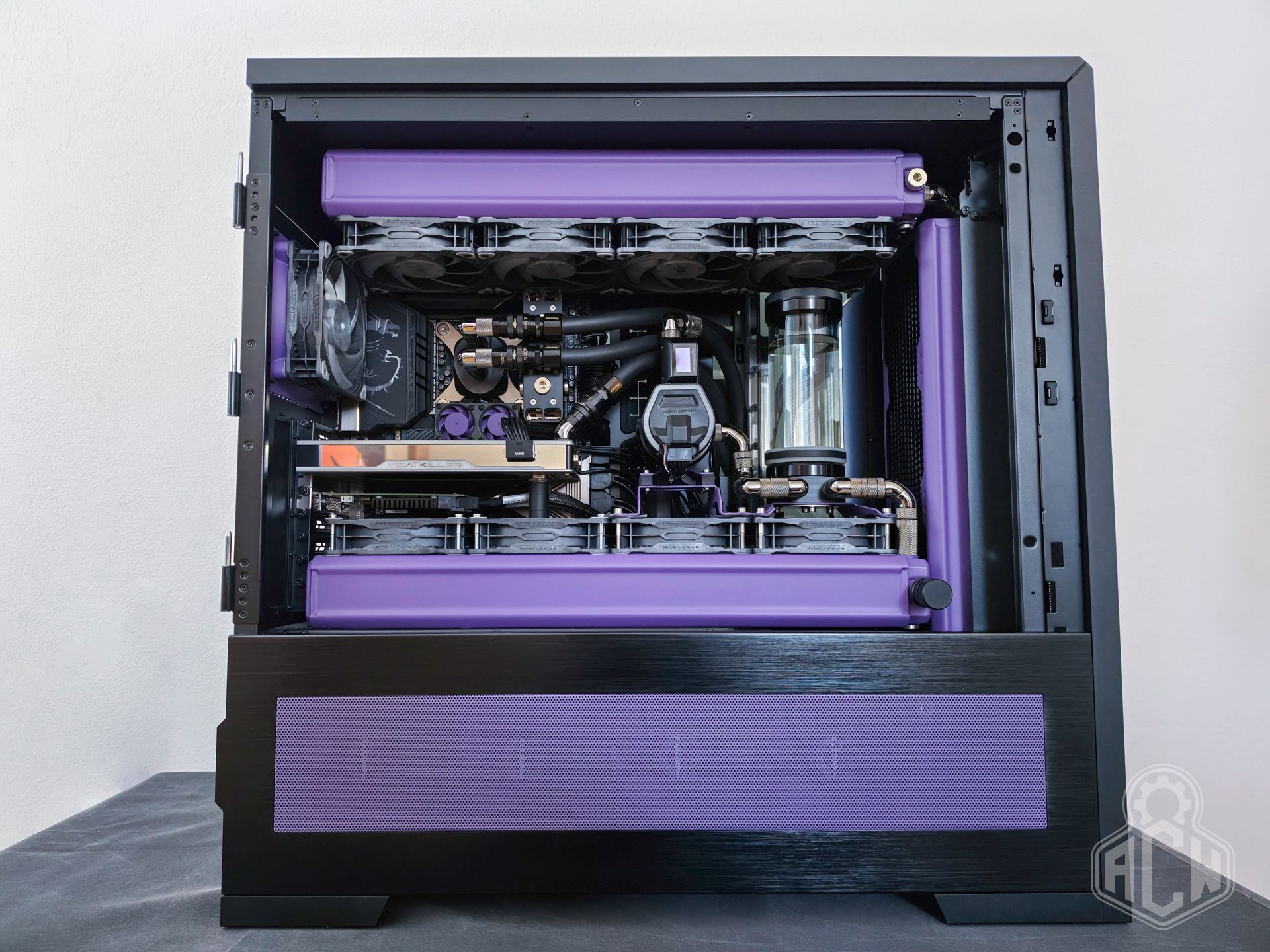
📐 The basic concept began to take shape. A versatile mainframe that would excel in any application—whether it’s 4K gaming, video editing, AI LLM development, or even everyday home multimedia needs. We then outlined the criteria that would make the system appealing:
- Single CPU - Single GPU setup that fits perfectly in a home office or living room
- Powerful and durable hardware, with a wide range of connectivity options
- Over-engineered, intelligent cooling system of industrial quality
- Ultra-quiet operation pushed to the limits of the system’s capabilities
- Maximized lifespan of the system’s chassis
- Long service intervals, inexpensive and simple maintenance
- Custom solutions not found in standard systems
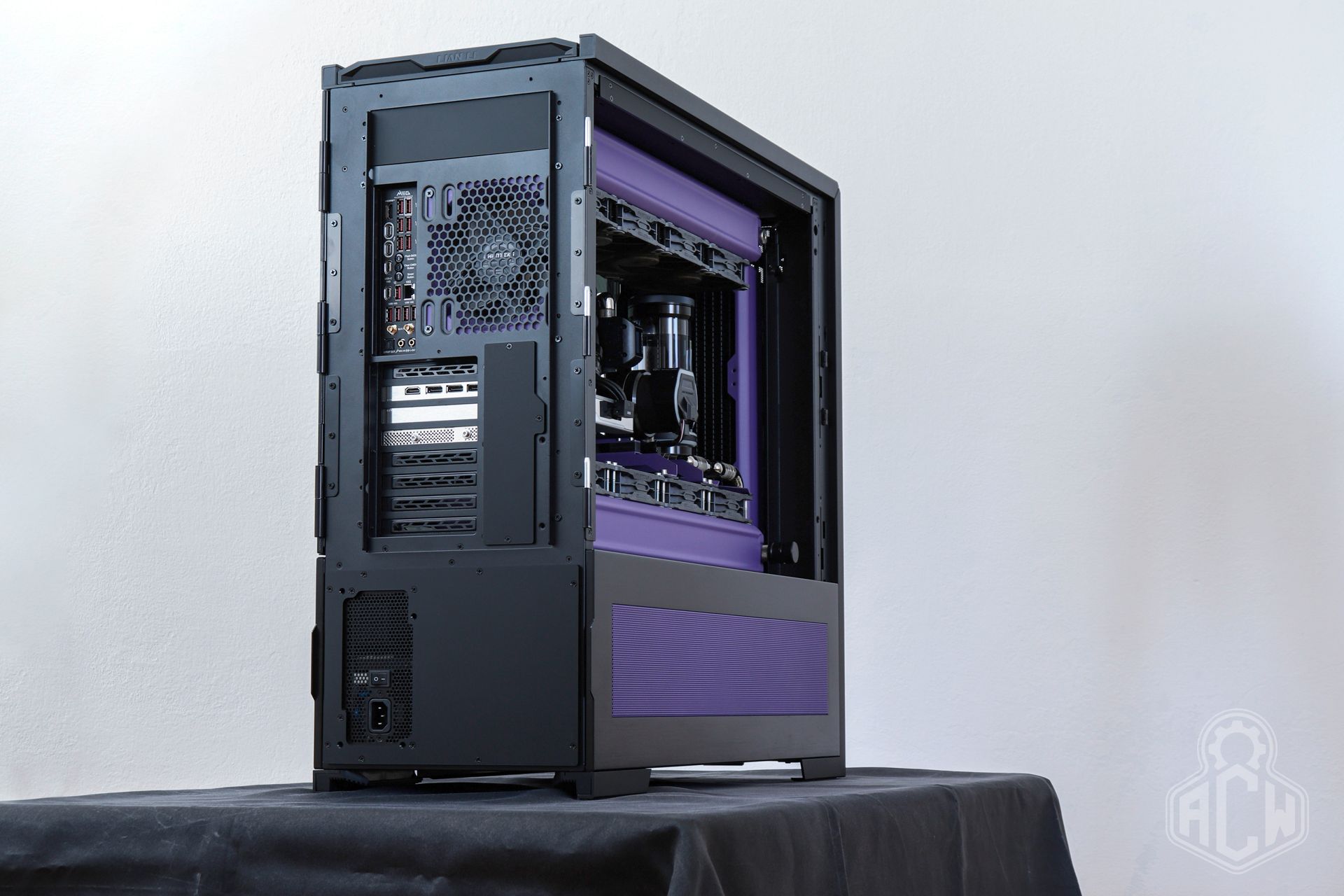
🏛️ And so this project was born, one we’ve been working on—with breaks—since September 2024. A solid 68 kilograms in weight, 1920 mm of total radiator length, a total of 22 cooling fans, over 5 meters of tubing, and a capacity of nearly 5 liters of coolant. The Imperator-Class Titan of desktop PCs, if you will. The ACE-Floodland Project.
2️⃣Hardware selection
📦Case Lian Li V3000 Plus
This case was what kicked off the entire project—more specifically, the moment we had the chance to buy it at a 50% discount. It is one of the largest “home-use” cases ever made, surpassed only by the (now-defunct) CaseLabs in terms of build quality, weight, and features.
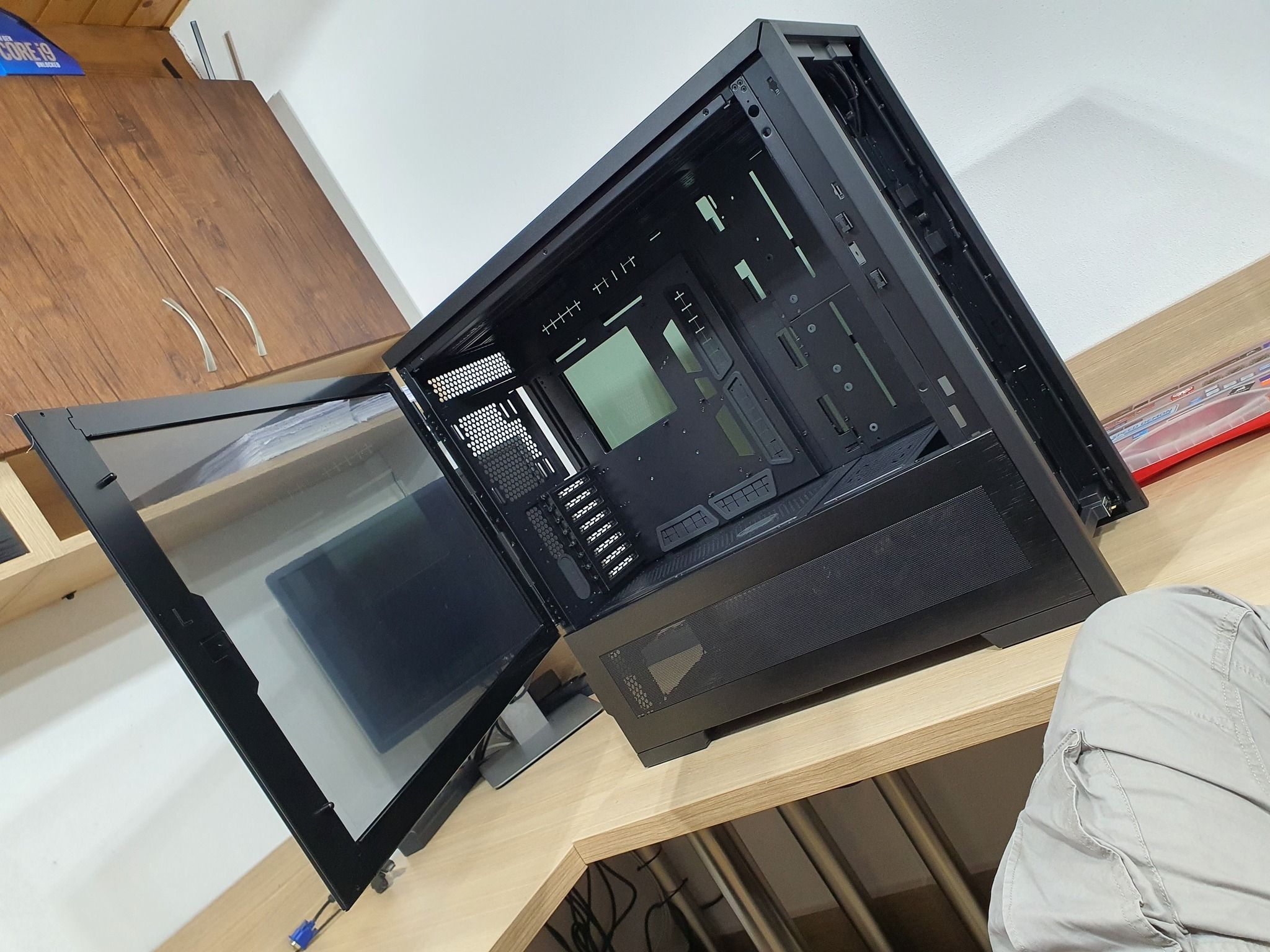
The case itself weighs 33 kilograms when empty and is designed to house two independent systems. The front panel features 2 power buttons, 2 reset buttons, and I/O connectors. An excellent solution if, for example, you want to have a PC and a NAS server in one case at the same time, or a second high-performance setup for your significant other to game on.
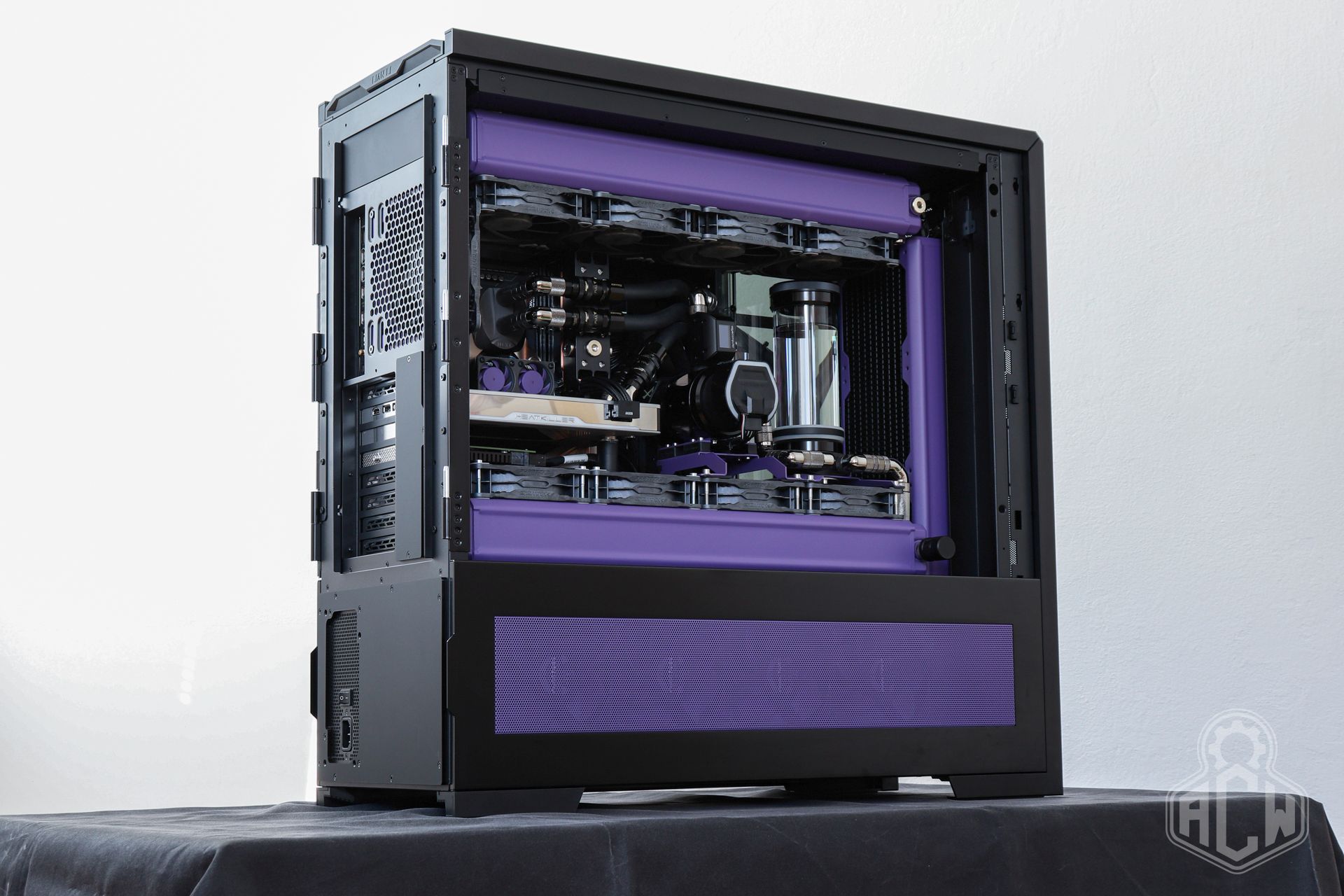
We didn’t take advantage of this option. What appealed to us most was the wide support for water-cooling radiators, the good internal layout, and the massive community support—aftermarket parts and modifications. In short, it’s the ideal foundation for a build of this caliber.
🔌PSU CoolerMaster X Silent Edge PT
Since our goal from the very beginning was to achieve the quietest possible operation under all circumstances, we had to select components accordingly. Especially under high load, even truly powerful and efficient power supplies tend to spin their fans at higher speeds or cycle them on and off, which is ultimately disruptive and spoils the impression of an otherwise quiet system. Sure, there are quiet power supplies, but the quietest one is the one that doesn’t have a fan at all.
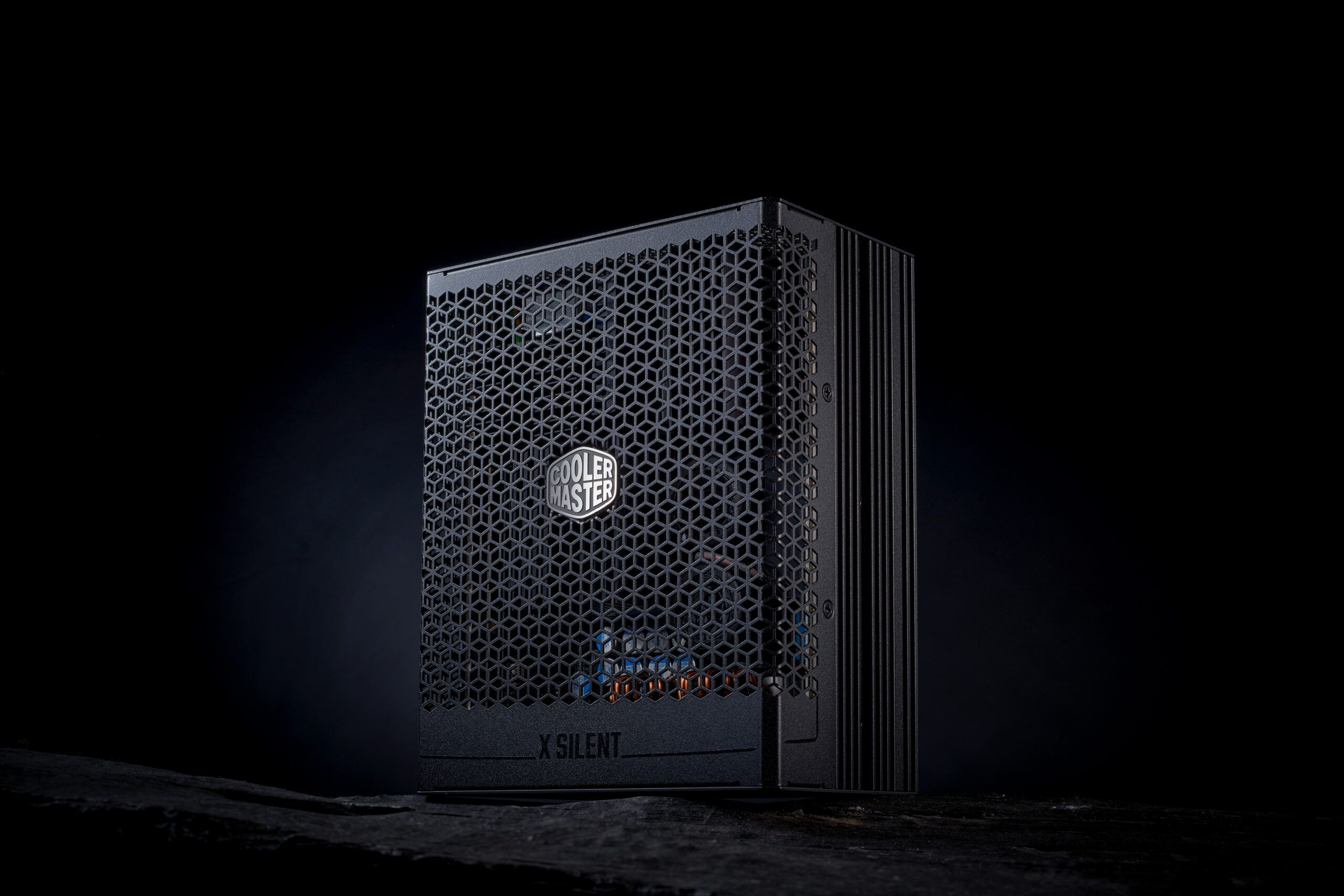
Here, a new product from Computex 2024 caught our attention. It is a PSU with 1100W output and 80+ and Cybenetics Platinum efficiency ratings. Currently, this is the most powerful PC power supply without active fan cooling, and it also fully complies with the ATX v3.1 standard. The power supply itself was developed in collaboration with Infineon, designed from the ground up, and manufactured in Taiwan by CoolerMaster. In addition to passive operation, it offers real-time monitoring via USB or PMBus, and comes with an unbeatable 15-year manufacturer’s warranty.
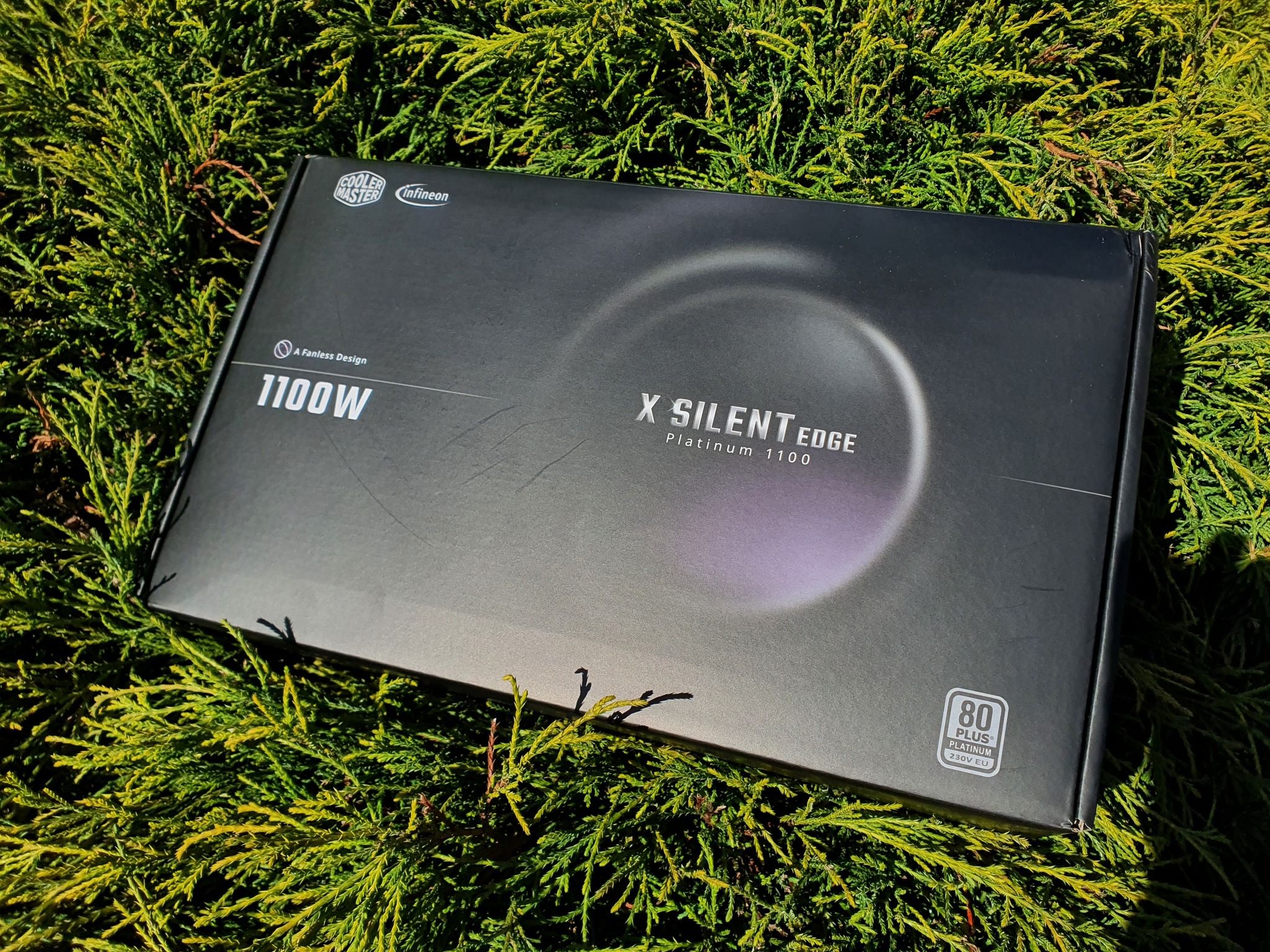
An interesting fact is that, from an electrical engineering standpoint, this is essentially a power supply capable of continuously delivering over 1300W of power under ideal conditions. Protection here is primarily linked to operating temperature.
🏗️Platform Intel Arrow Lake LGA1851
When choosing a platform, we speculated for quite some time over whether to build the system on the AMD AM5 X870E platform—thereby preserving the option to upgrade the processor in the future—or to go against the grain with the new Intel LGA 1851 platform and Z890 chipset.

We were among the first on the CZ/SK market to have the Intel Core Ultra 9 285K available, paired with the heavily loaded MSI MEG Z890 ACE motherboard and, at the time, the hottest new memory on the market: a 48GB CUDIMM kit from G.Skill. It operates at a frequency of 8400MT/s with CL40 timings.
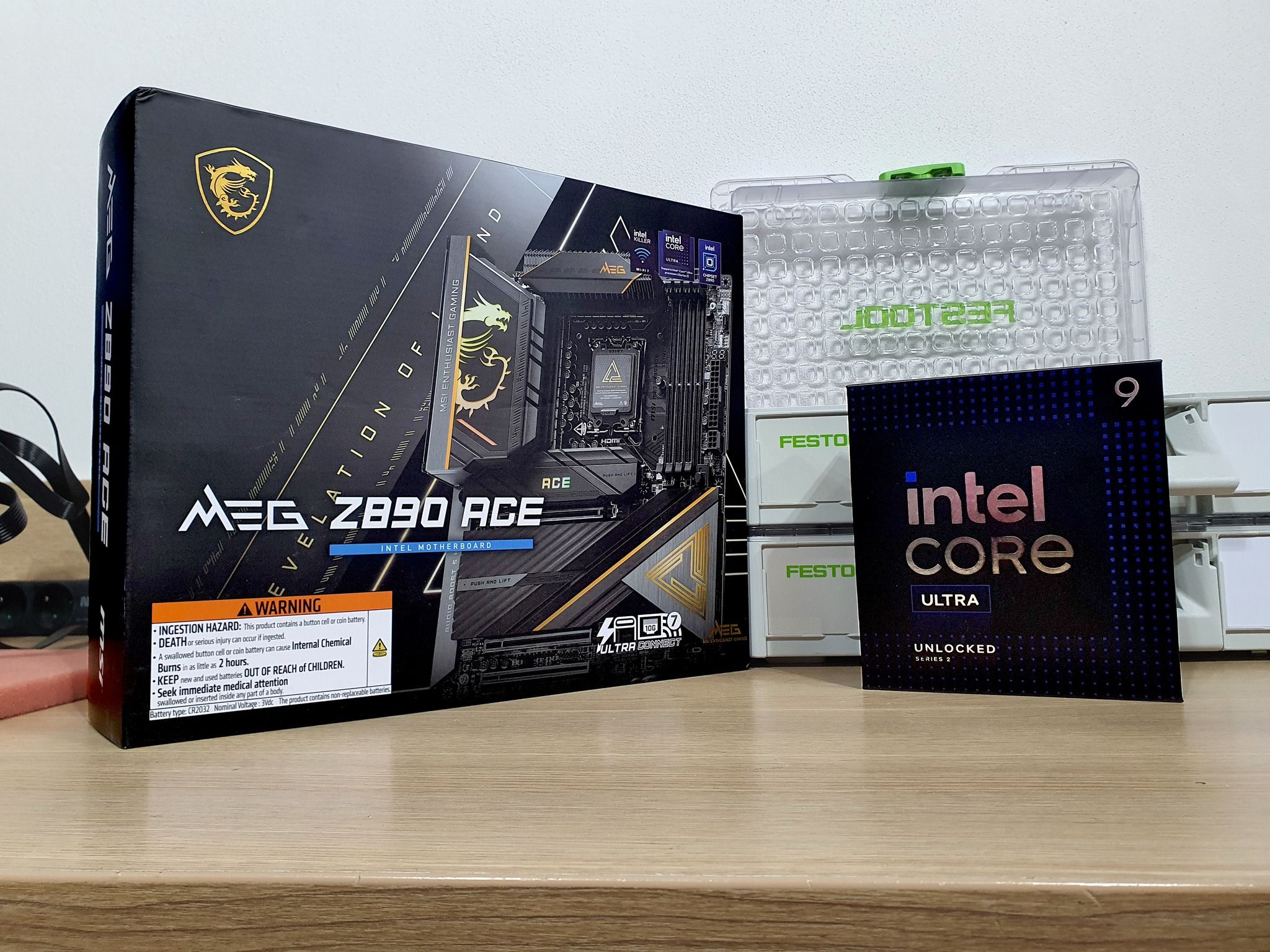
We went through a process of gradual tuning and “maturation” with this platform. Despite extensive initial bugs and high access times during communication between the CPU and RAM, this configuration surprised us with rock-solid stability under all conditions, extreme tuning possibilities for CPU and RAM parameters, truly pleasant operating temperatures, and realistic power consumption under load.
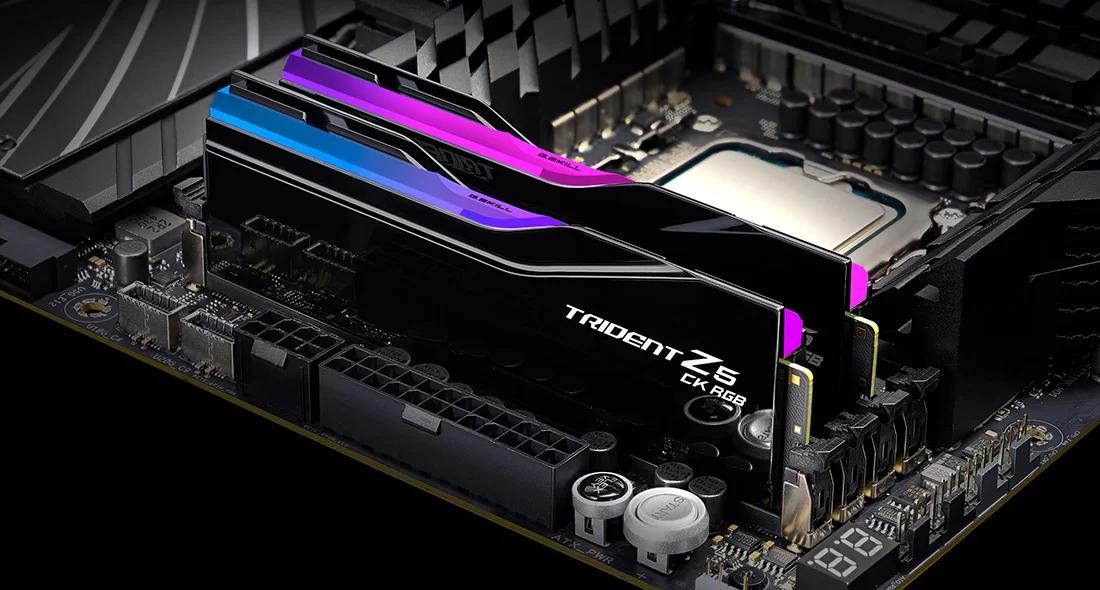
The choice was clear—we’re going against the grain and we’ll see where it takes us. By the time this platform’s performance becomes insufficient, DDR6 memory will be here anyway, so the entire performance core will be replaced all at once.
🧩Graphics Card Gainward RTX 5090 GS
The choice of graphics card was clear from the start, yet also very complicated. We wanted an absolute high-end solution for 4K gaming, so the RTX 5090 was essentially a given. What wasn’t so clear was which specific model to choose.
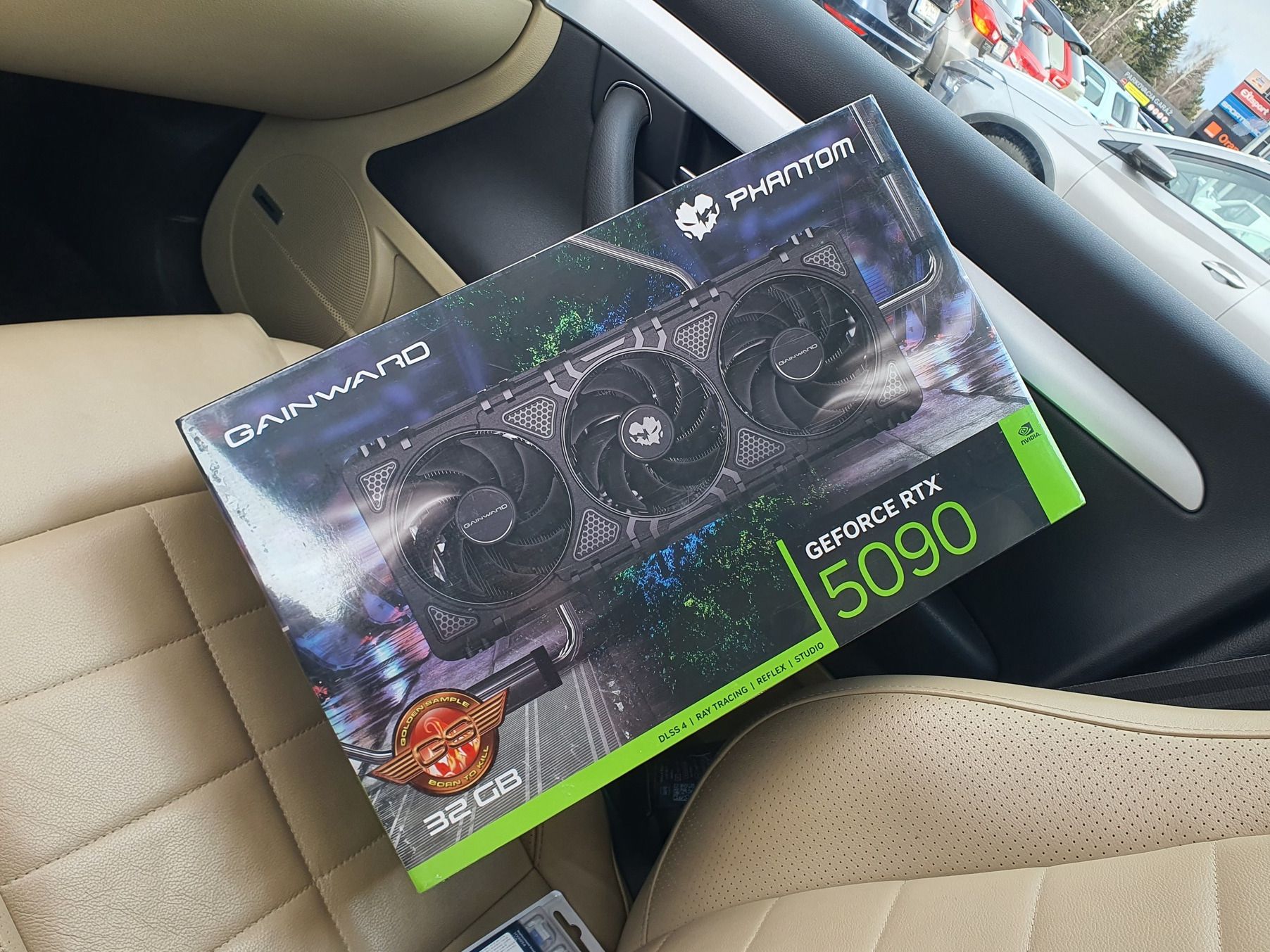
The limiting factor was the availability of water blocks tailored specifically for a particular card. There are massive differences among individual manufacturers and their products in terms of quality, design, serviceability, and cooling performance itself. The difference between a “weak” and an excellent block can easily amount to 15°C.
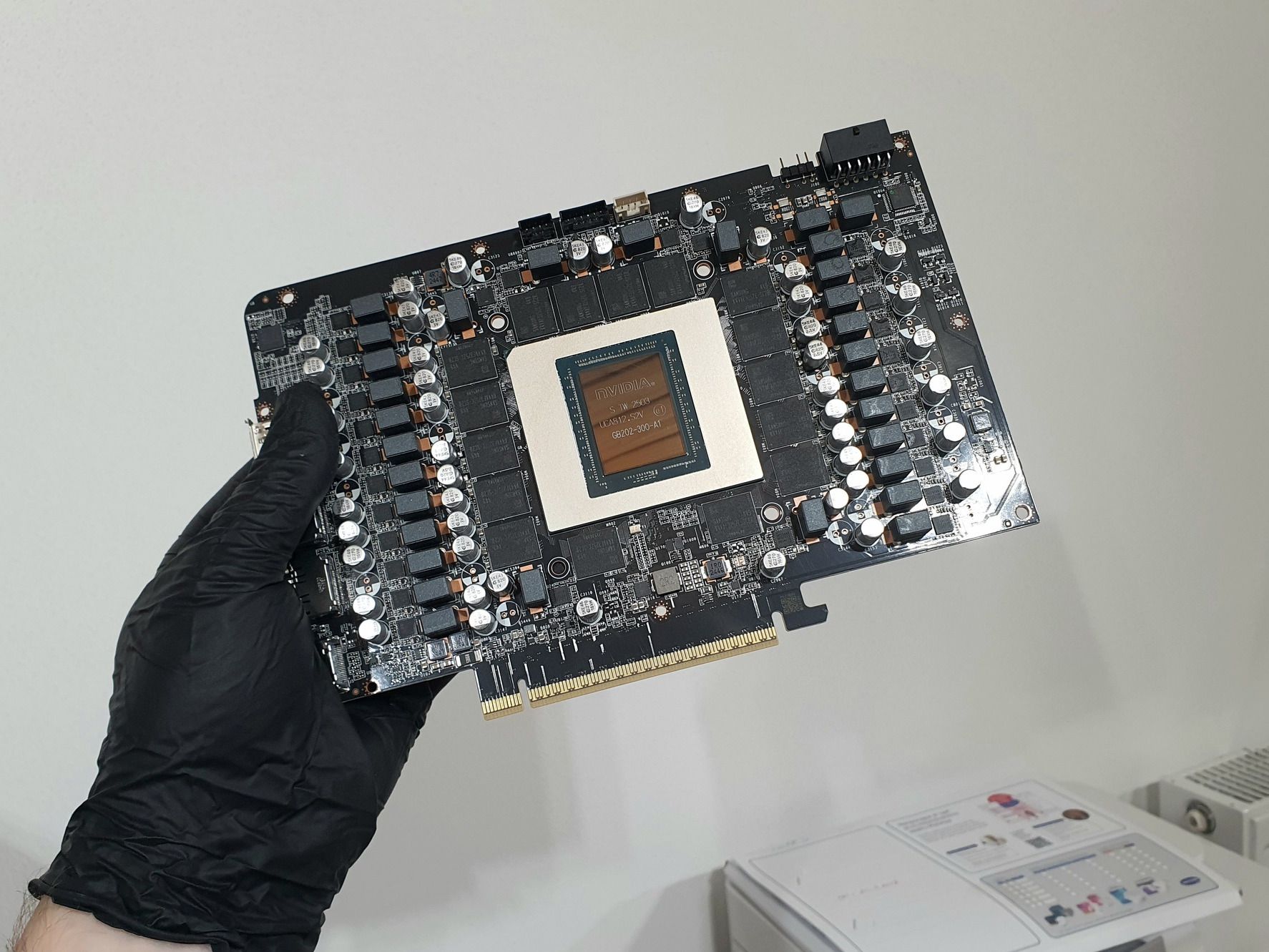
After much deliberation, we decided on the Gainward Phantom RTX 5090 GS, as the Heatkiller V Ultra block from Watercool was announced for it. Factors such as our long-standing positive experience with the brand, compatibility with the BIOSes of other cards, and low coil whine also played a role.
💾OS SSD Intel Optane 905p M.2
One of the many "overkill" features of this build is the storage solution. For the system drive, we used a 380GB Intel Optane 905p M.2 22110 module, a remnant of the collaboration between Intel and Micron—a bit of a relic from the last decade. If you’re already raising an eyebrow, wondering why the build doesn’t include the latest Gen 5 Samsung 9100 Pro or a suitable alternative, read on.
Intel Optane was a bit ahead of its time. Its 3D XPoint memory uses a so-called cross-point structure with direct cell addressing, unlike the block-based access of NAND flash. Thanks to this, it has significantly lower latency (on the order of nanoseconds vs. microseconds for NAND) and can write without the need for read-modify-write cycles or garbage collection. Compared to classic TLC NAND SSDs, Optane is not only faster in random access but also extremely durable—it can handle tens to hundreds of times more writes and maintains stable performance even under load.
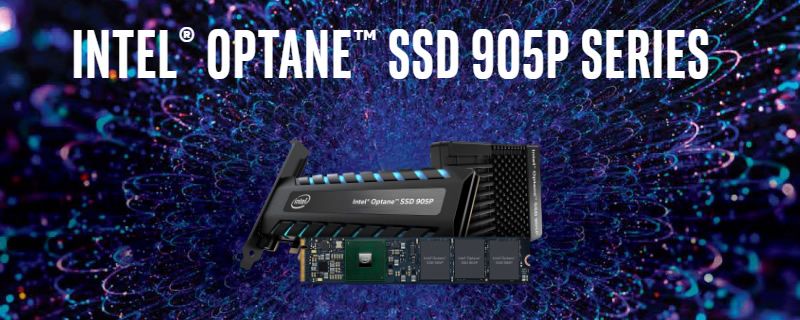
In short and simplified terms, despite achieving sequential read speeds on par with Gen 3 drives, it remains unmatched to this day, particularly in the combination of ultra-low latency, high endurance, and consistent performance at low queue depths, where it behaves more like DRAM than an SSD. The result? System responsiveness that some of you may remember from the days of Windows XP running on a RAMDisk.
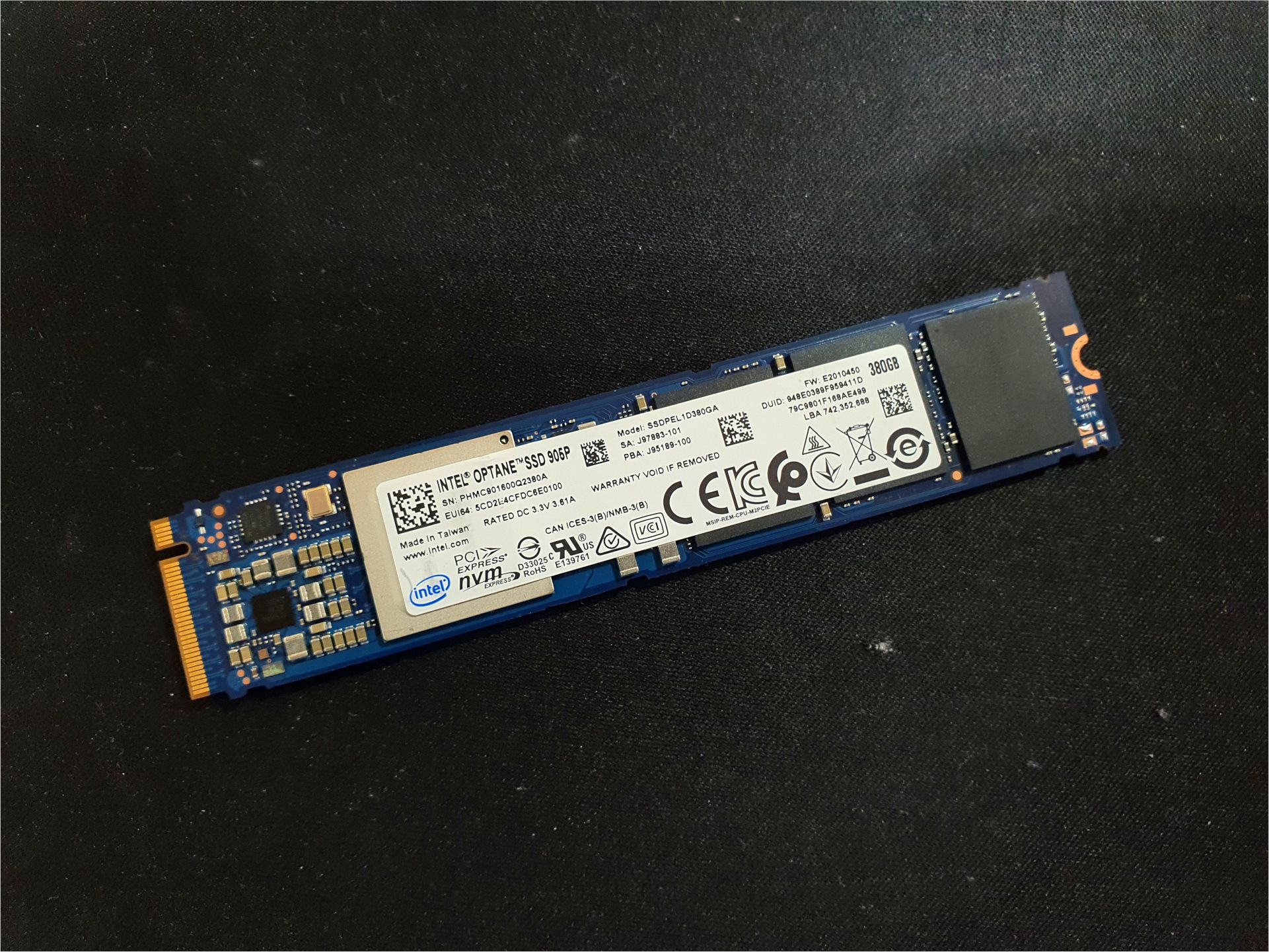
When it comes to write endurance, the standard Samsung 990 Pro 1TB offers 600 TBW. For our 380GB Optane 905p M.2, it’s more than ten times that (6.93 PBW), and with higher capacities, they can easily offer 30 PBW.
💽Storage and PLX 8747 adapter
Since the secondary drives were not supposed to be any less reliable or slower than the OS drive, we came up with a rather specific solution. We used four additional Intel Optane 905p drives as data and “scratch” drives, this time 1.5TB 2.5-inch models with U.2 PCI-Express connectivity.
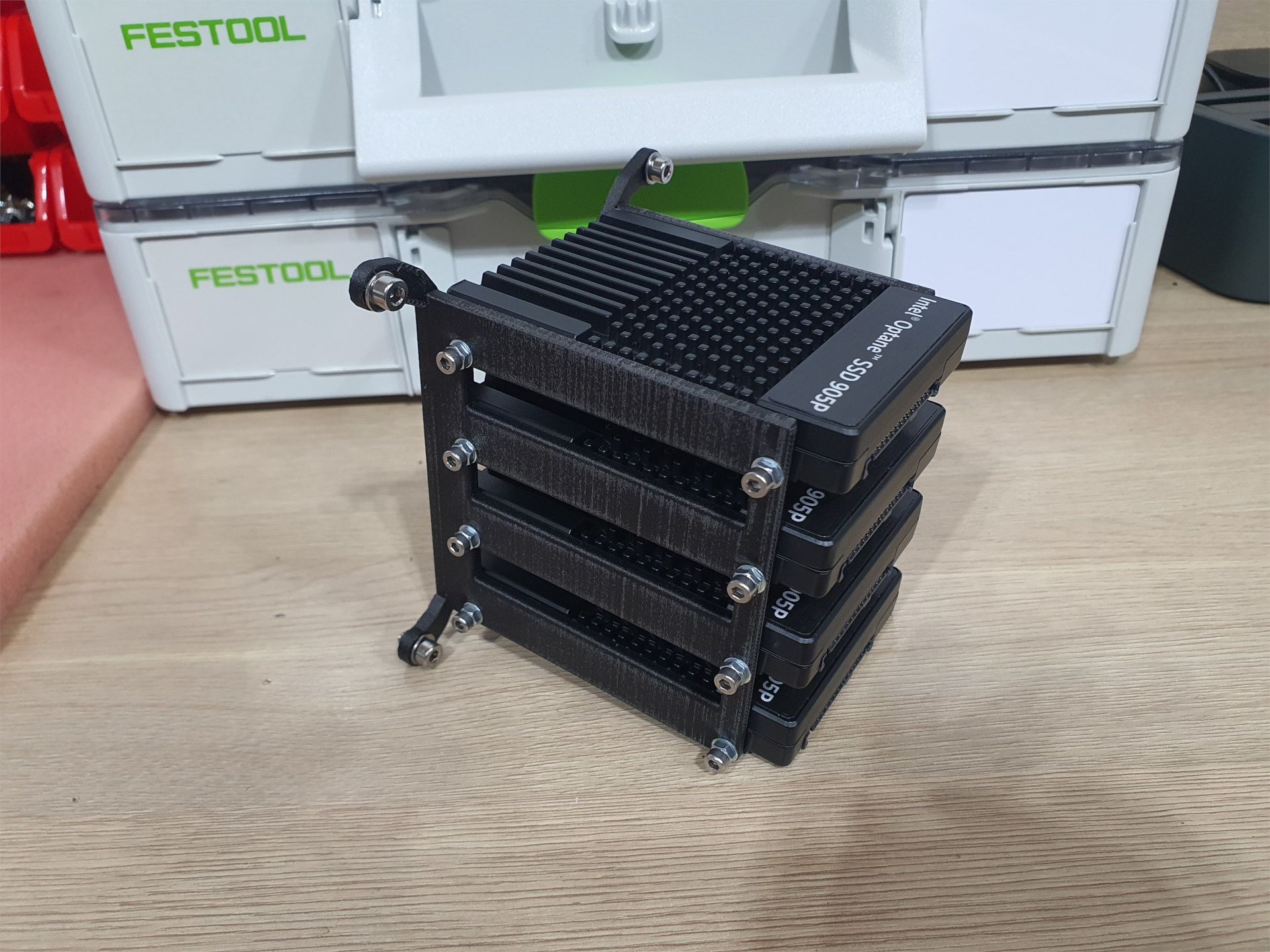
Their mounting is handled by a custom-designed bracket, 3D-printed to fit, which is mounted on the inner part of the side cooling radiator. The drives are thus located in the active airflow zone, which significantly improves their cooling even under heavy load.
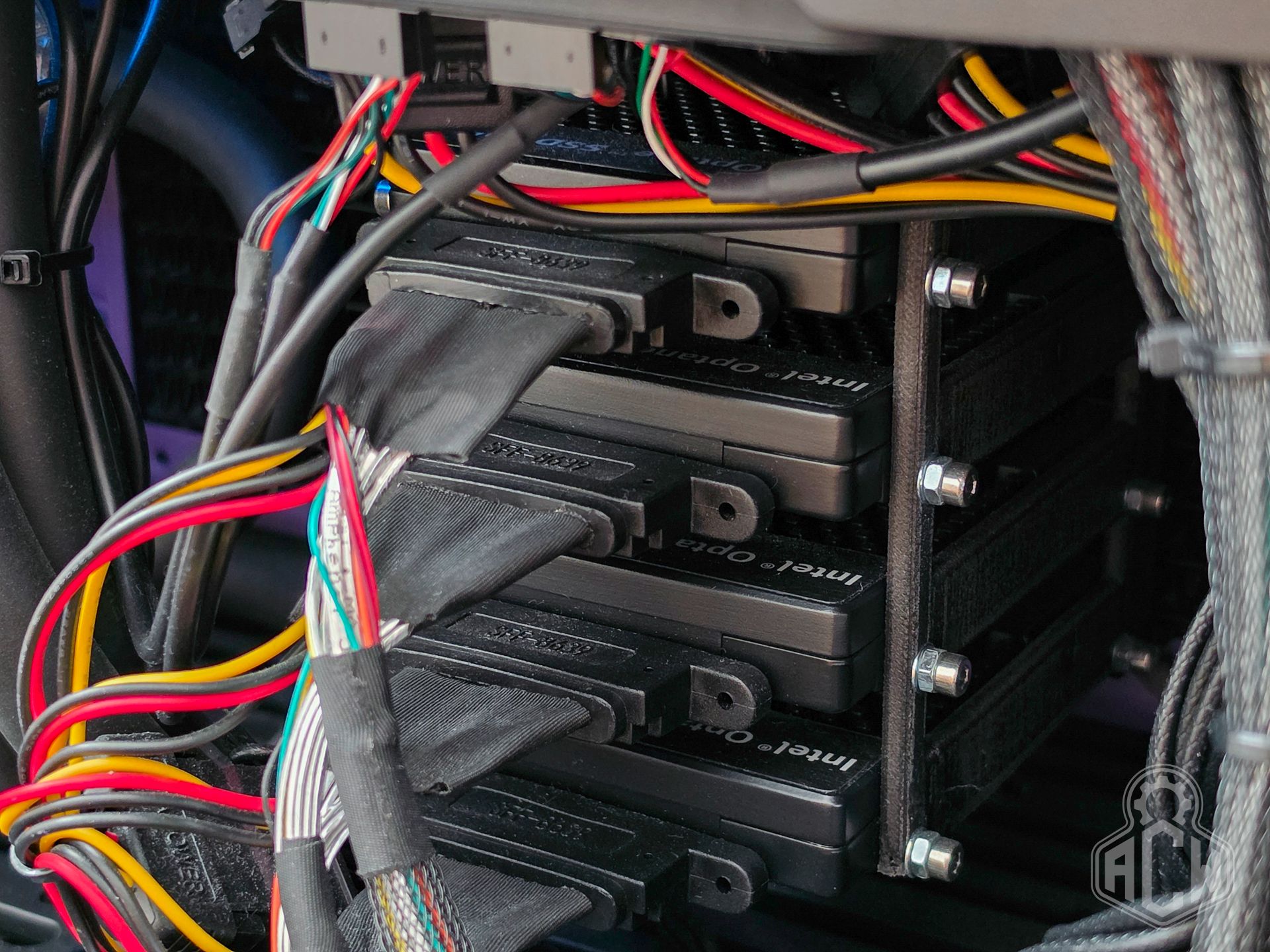
The drives are connected to the motherboard via a PLX 8747 adapter with a PCI-Express 3.0 x8 interface using four MiniSAS-U.2 cables with an additional SATA power supply. This is connected to the second x16 slot on the motherboard, which we raised higher using an appropriate riser cable to avoid interference with the heatsink. A complicated but functionally simple and reliable solution that does not require an HBA.
♻️Recovery SSD Kingston DC600M
Despite the quality and reliability of Optane drives, we equipped the system with two additional 2.5-inch SATA III SSDs. These are used for daily backups of the system drive, important diagnostic software, benchmarks, and archiving older BIOS versions and their profiles.
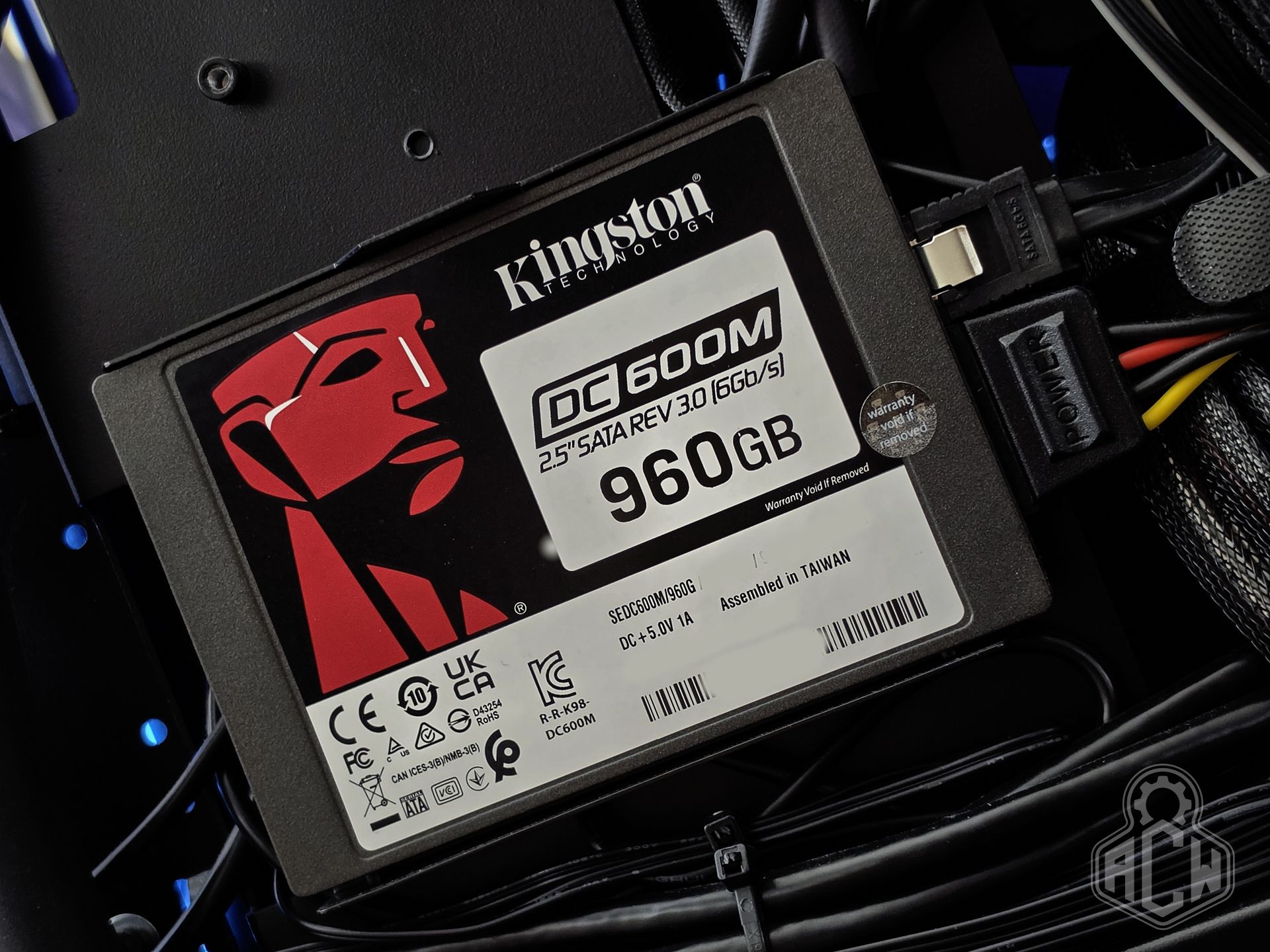
Specifically, the drives used are Kingston DC600M 960GB. Enterprise class, unusually high endurance (for TLC NAND) at 1752 TBW, and on-board protection against sudden power outages. In short, a high-quality, over-engineered solution built to last.
3️⃣Cooling system
💡Concept and Execution
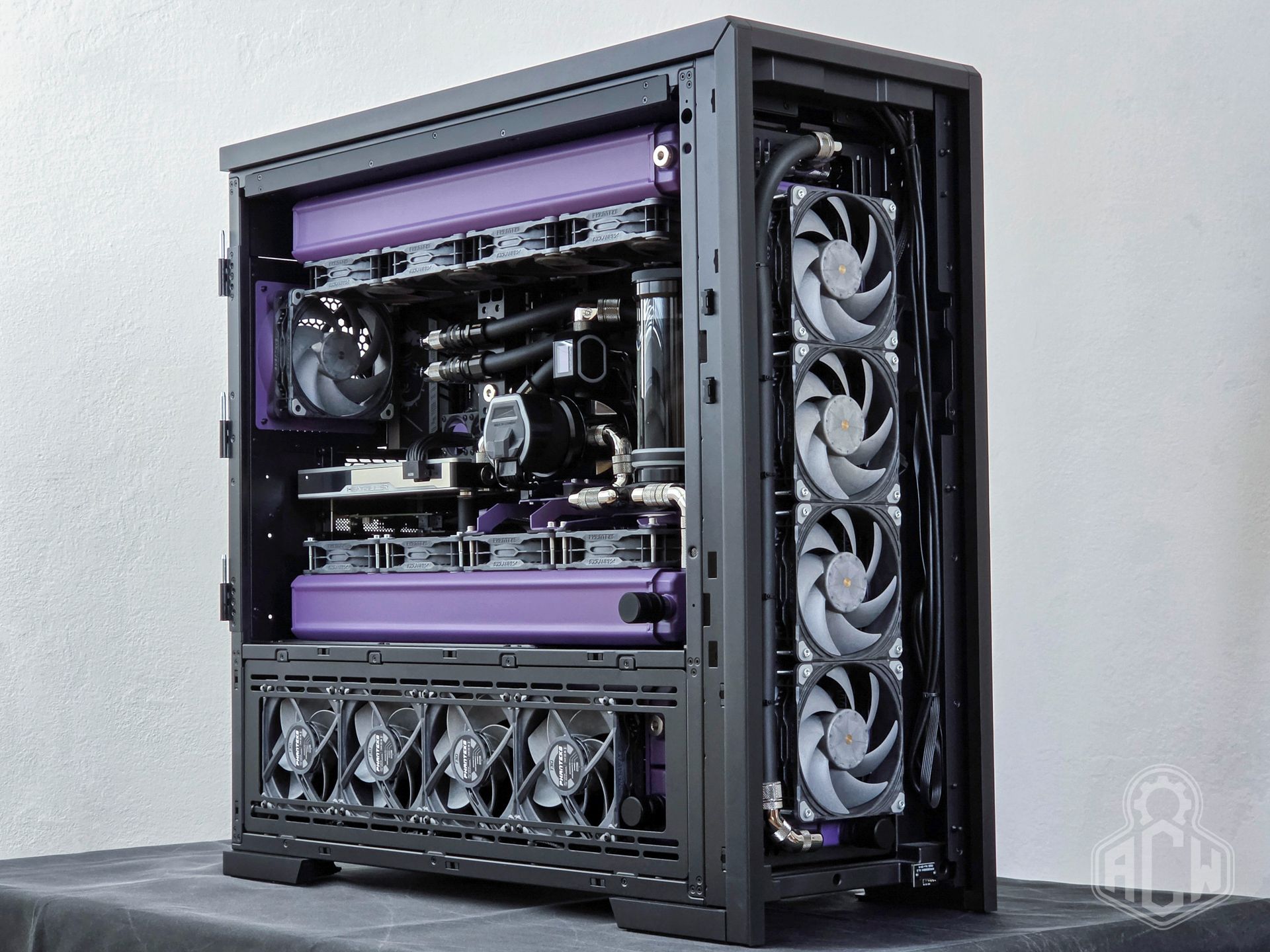
We designed the water circuit to meet the specified requirements of the system. Our top priorities were functionality, quality, and easy access to components for maintenance or servicing. A key factor was maximizing the coolant replacement interval, as well as ensuring continuous filtration and quality monitoring.
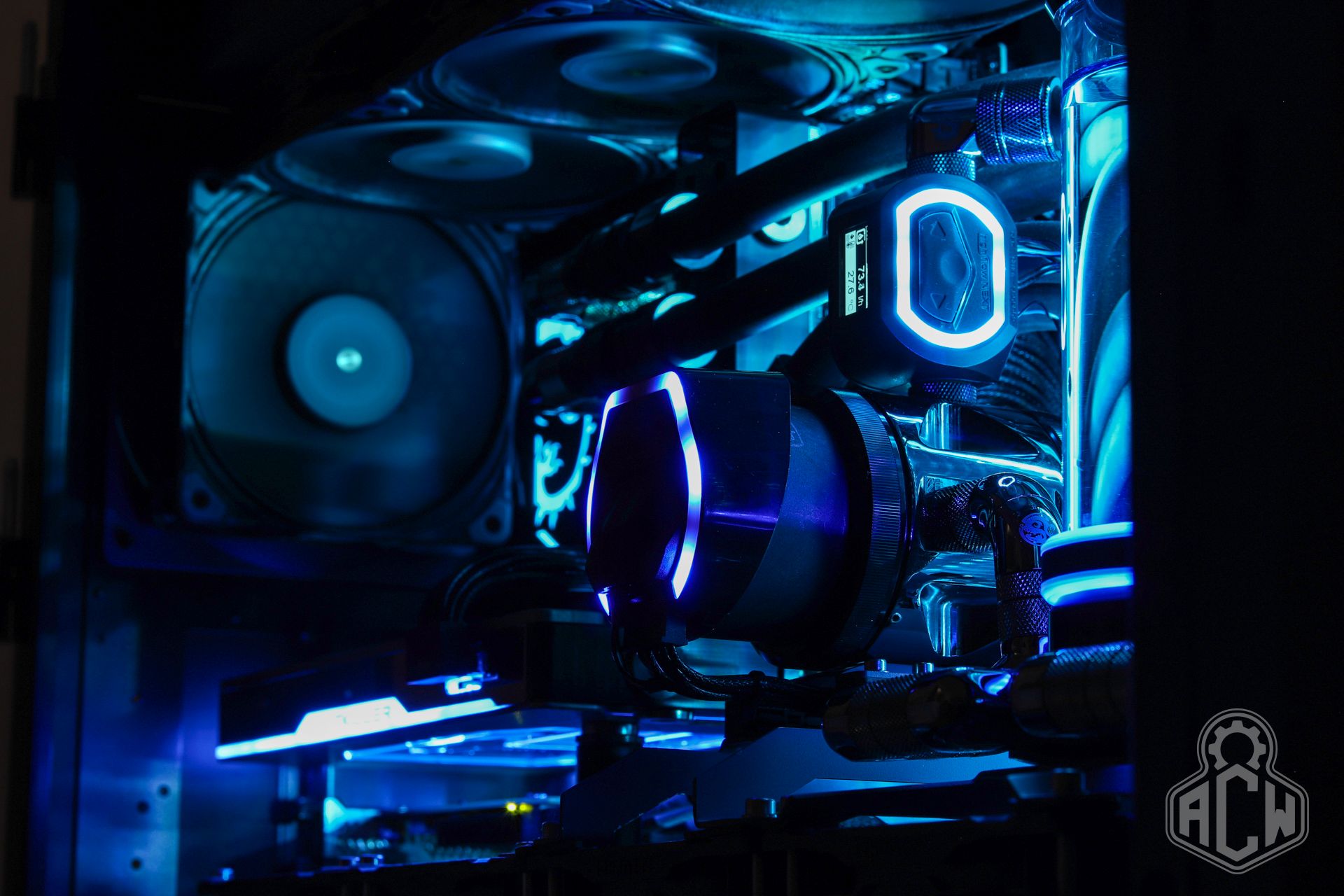
❄️ CPU Block AquaComputer Kryos NEXT
During the design and initial testing phases, we selected from a total of four different CPU cooling blocks. The result often depends on how well the shape of a specific IHS “fits” with a given block, so a positive experience from the past may not always be replicable.
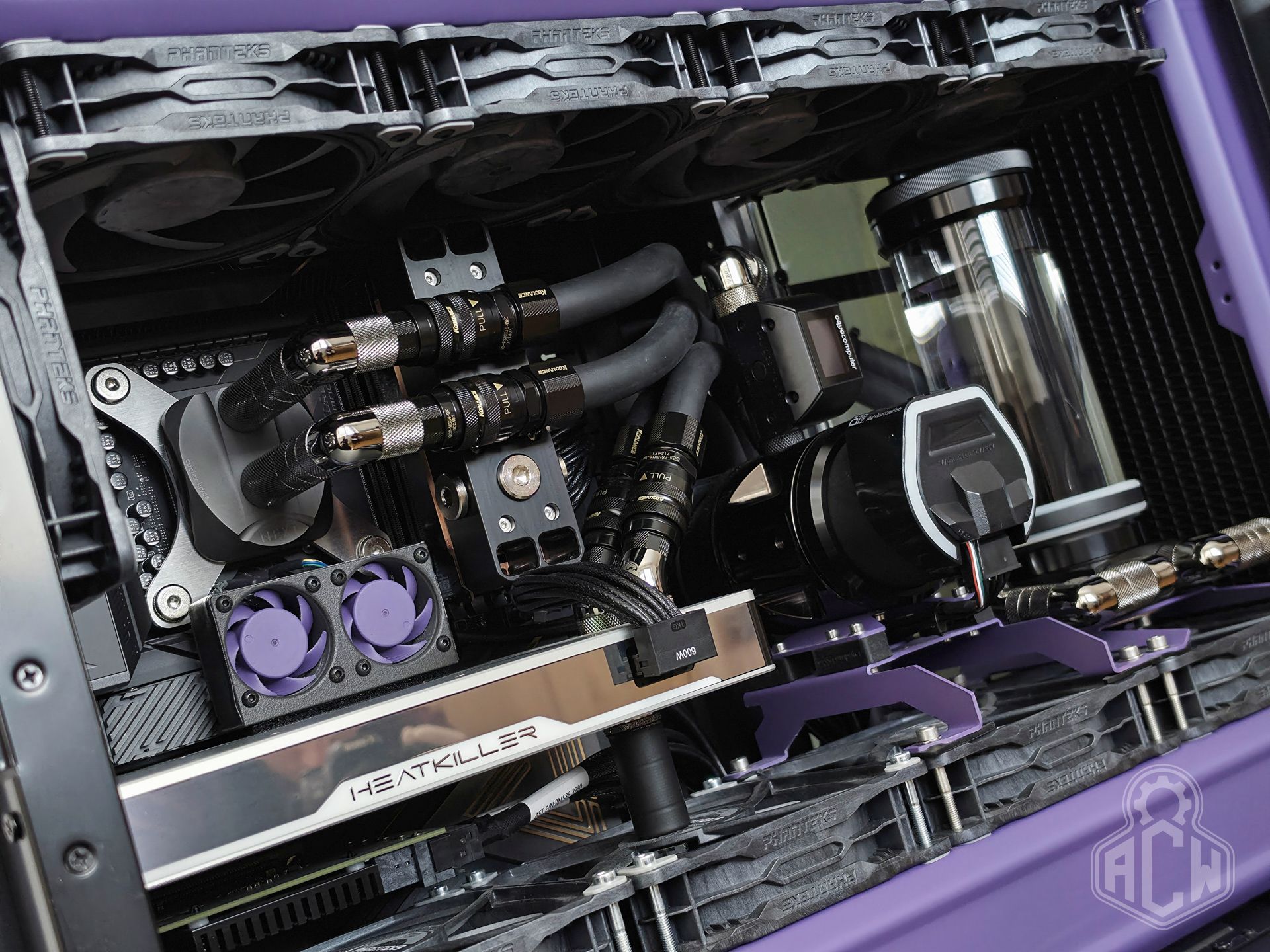
In this case, the Aquacomputer Cuplex Kryos NEXT proved to be the best choice; we opted for a combination of a nickel coldplate and a brass top with a PVD “Slate Grey” finish. Thermal Grizzly Duronaut thermal paste was used on the processor.
🧊GPU Block Watercool Heatkiller V Ultra
This heatsink—the very reason we chose this specific RTX 5090 model and for which we waited nearly six months from its announcement and order—finally arrived and exceeded all expectations. Perfect craftsmanship both inside and out, a symmetrical internal design with optimized airflow, and a 0.15mm-thick fins. If there is a Rolex among CPU coolers, this is it.
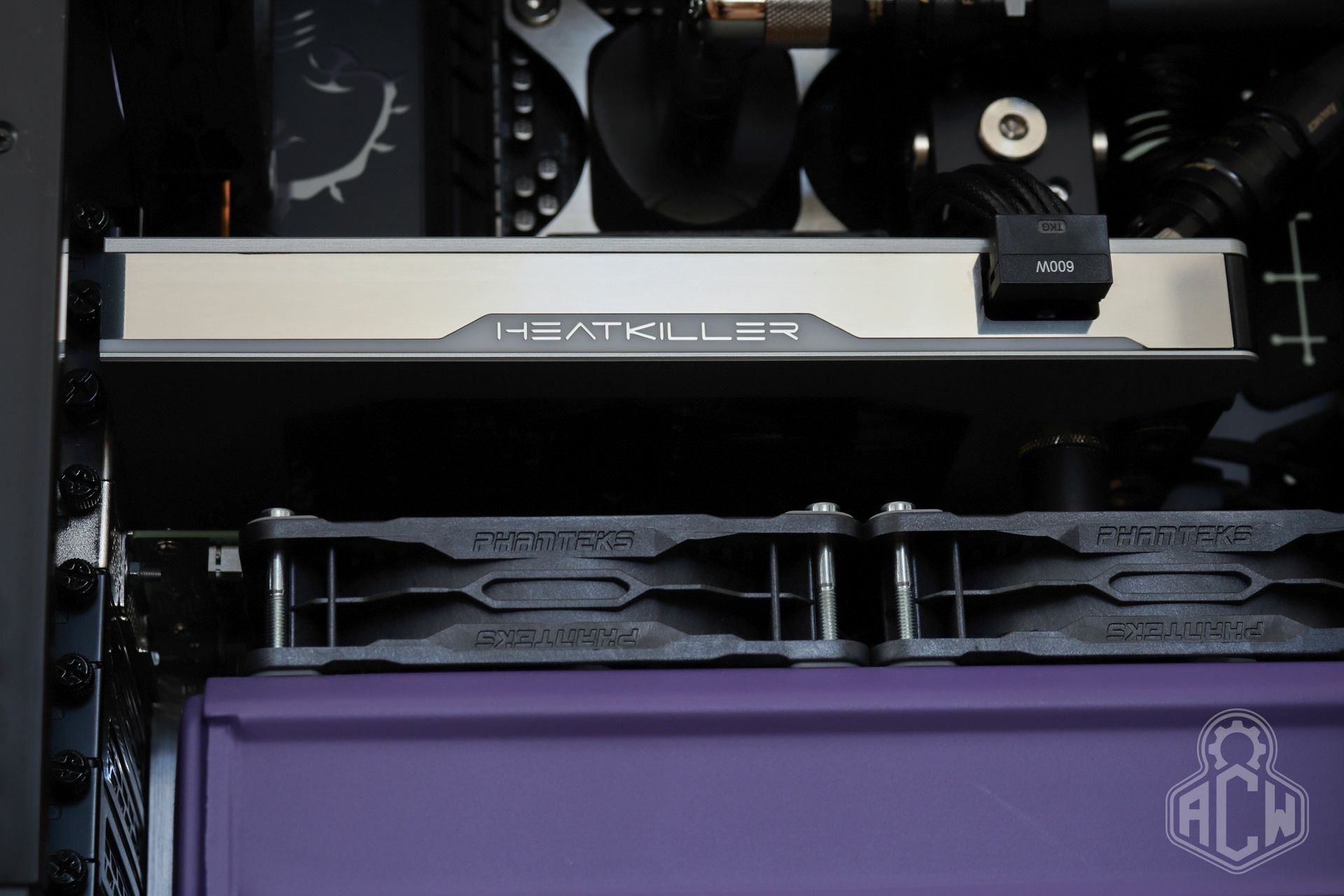
After properly applying Honeywell PTM7950 phase change material and running several thermal cycles, we achieved an operating ΔT of approximately 14–15°C at the GPU’s 600W power limit. By comparison, competing blocks are easily 10°C worse in this regard.
⏳RAM Block LiquidExstasy Custom
DDR5 memory modules are sensitive to operating temperature, especially if you want to overclock them with aggressive timings and a high TREFI. We achieved a massive temperature reduction by removing the original heatsink (which barely provided any cooling), applying high-quality thermal paste to all active components, and then installing all-copper Bitspower heat spreaders.
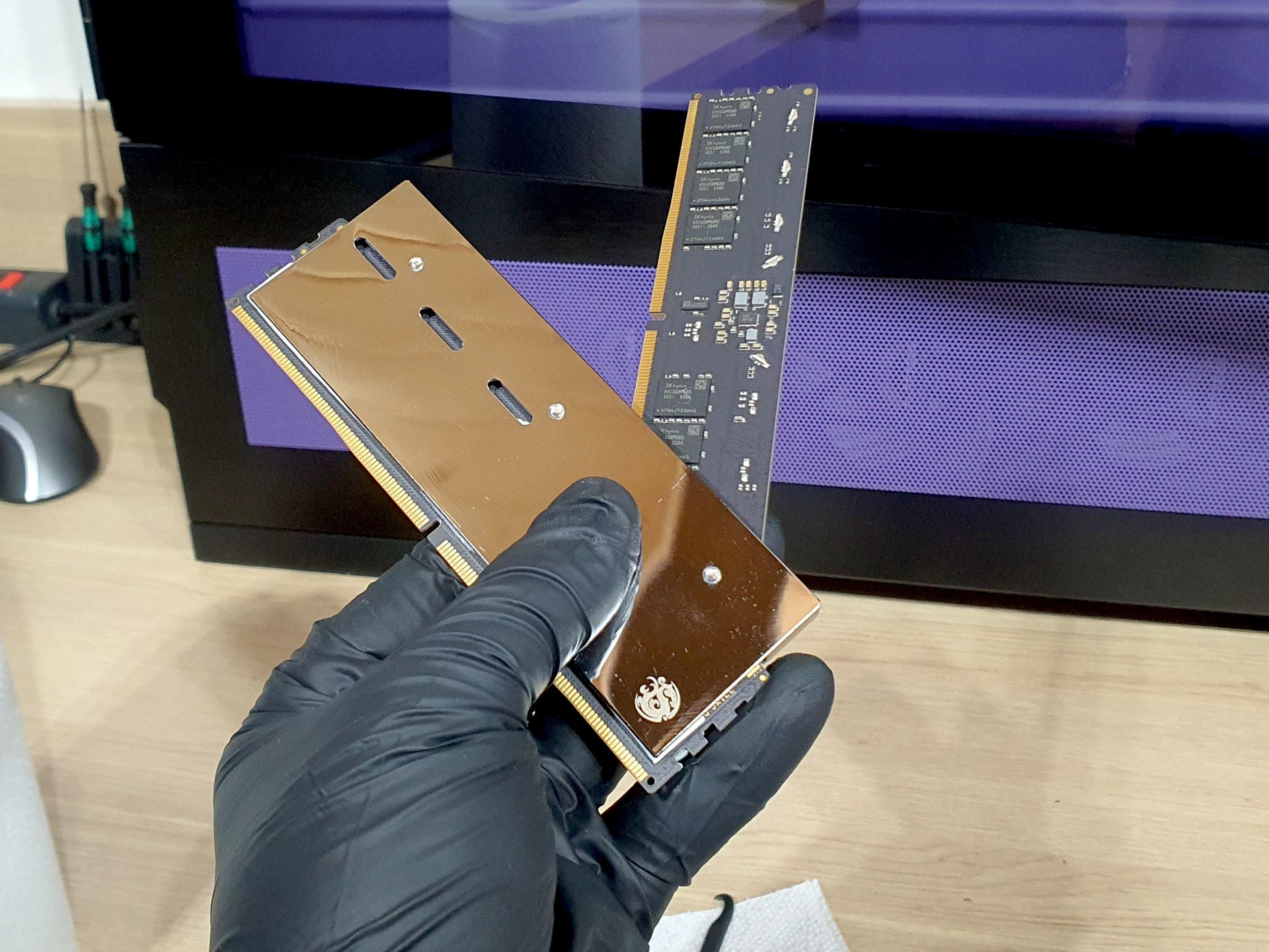
A custom-made cooling block from LiquidExstasy was then mounted onto these. The block consists of a copper base and a POM (Acetal) top, supports dual mounting for both 110mm and 120mm spacing, and features a multi-port design with a total of six G1/4” threads.
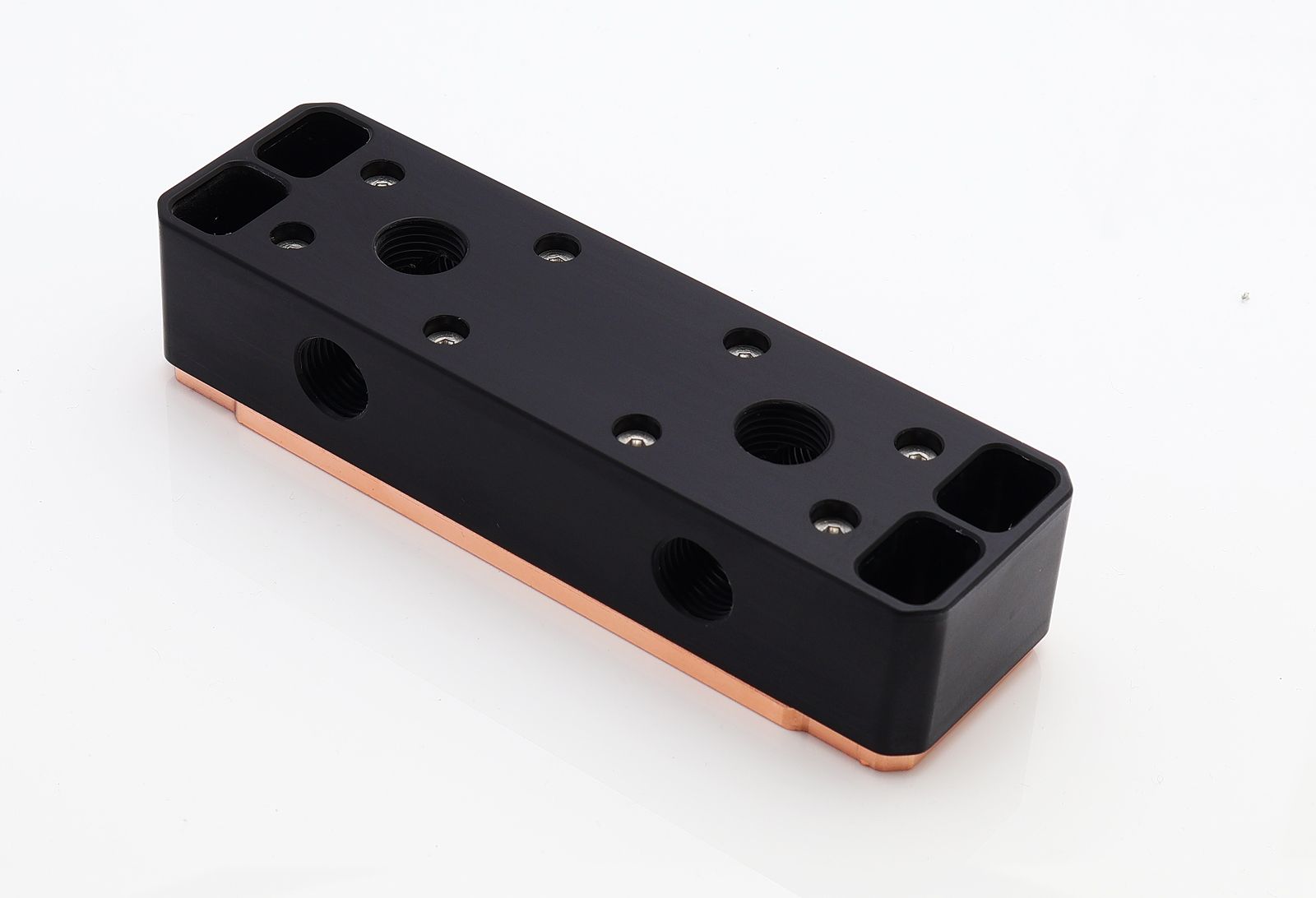
We waited nearly a year for the block, and after several reminders from us, the company eventually refunded the order and provided the block for free, for which we thank them. At the time of photographing the build, the block had not yet been physically connected to the water loop.
♨️Radiators HardwareLabs SR2 Xtreme+
We had very specific requirements when selecting heat exchangers. We needed high-quality 60mm models with external dimensions that were just barely larger than the fans, while also offering extensive connection options, known as multiport. We required extremely sparse fin spacing, optimized for fan operation well below 1000 RPM. At the same time, thick internal channels were necessary—and thus low flow resistance—so we could run the pumps at minimum RPM.
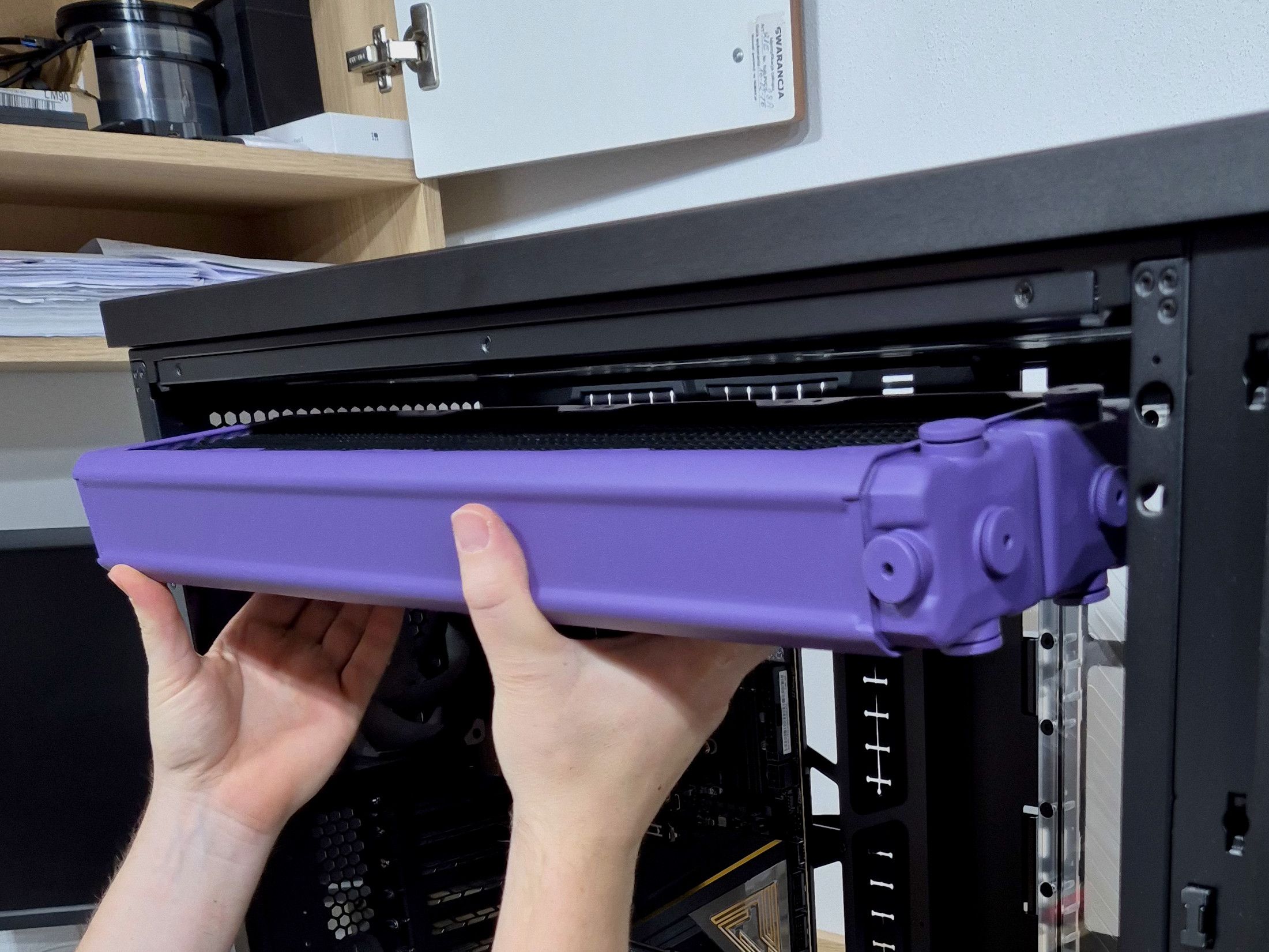
There is literally only one radiator that meets all our requirements—the HardwareLabs Black Ice SR2 Xtreme+, in our case the 480mm variant. A total of 8 G1/4” inlet/outlet threads on each radiator, a brass construction with an all-copper core, and 9 FPI fin spacing. Absolute cinema.
⚗️Reservoir Aquacomputer Ultitube 150 Pro
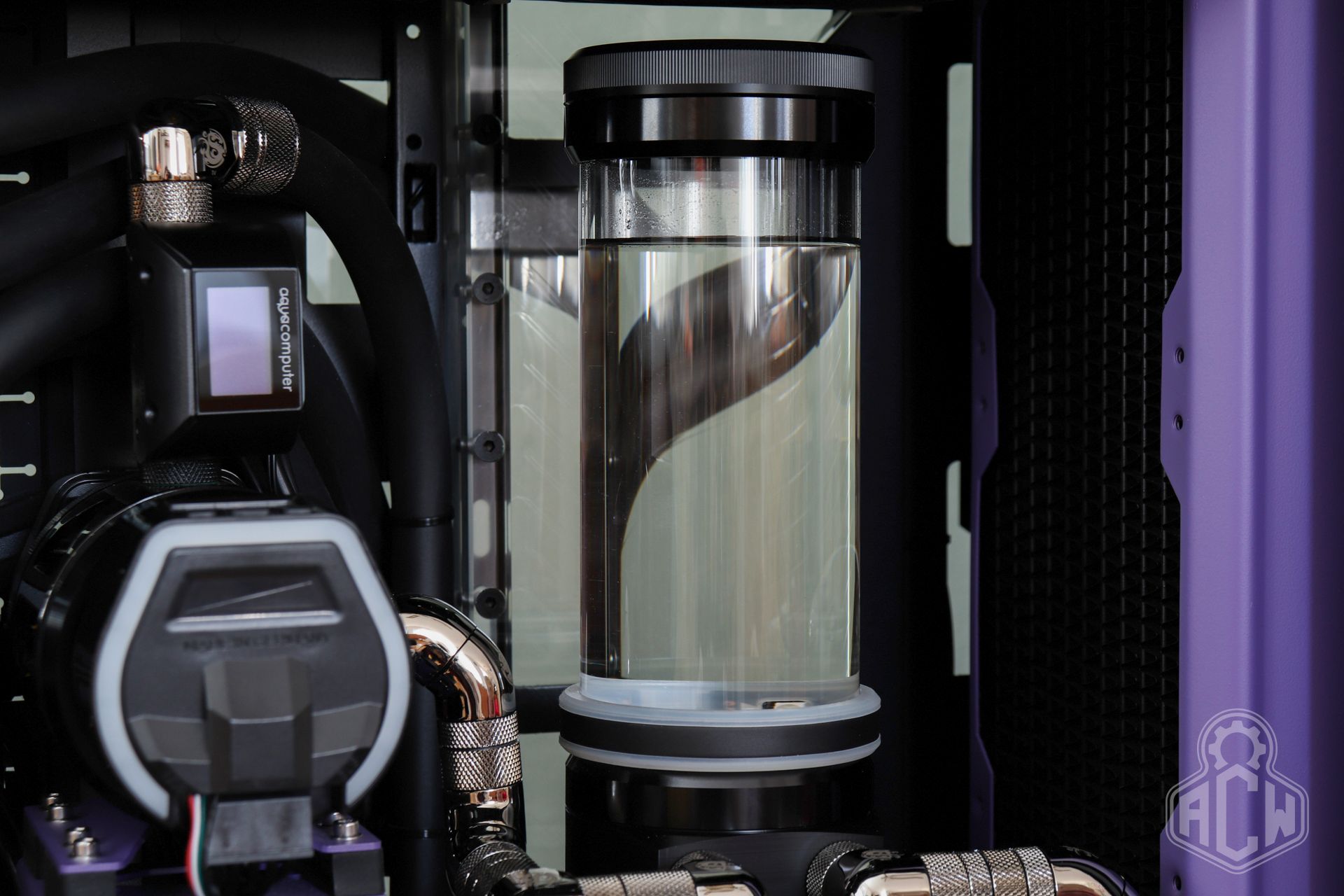
When selecting a reservoir, we stuck with Aquacomputer and chose its Ultitube 150 Pro model in the standalone version. In addition to its ideal installation method, it stood out for the following features:
- POM and borosilicate construction without additional supports
- Simple and quick cylinder replacement system
- Integrated coolant filter for trapping solid contaminants
- Integrated pressure relief membrane
All in all, it was effectively the best possible choice given our circumstances.
💧Flat Reservoir EK-FLT360
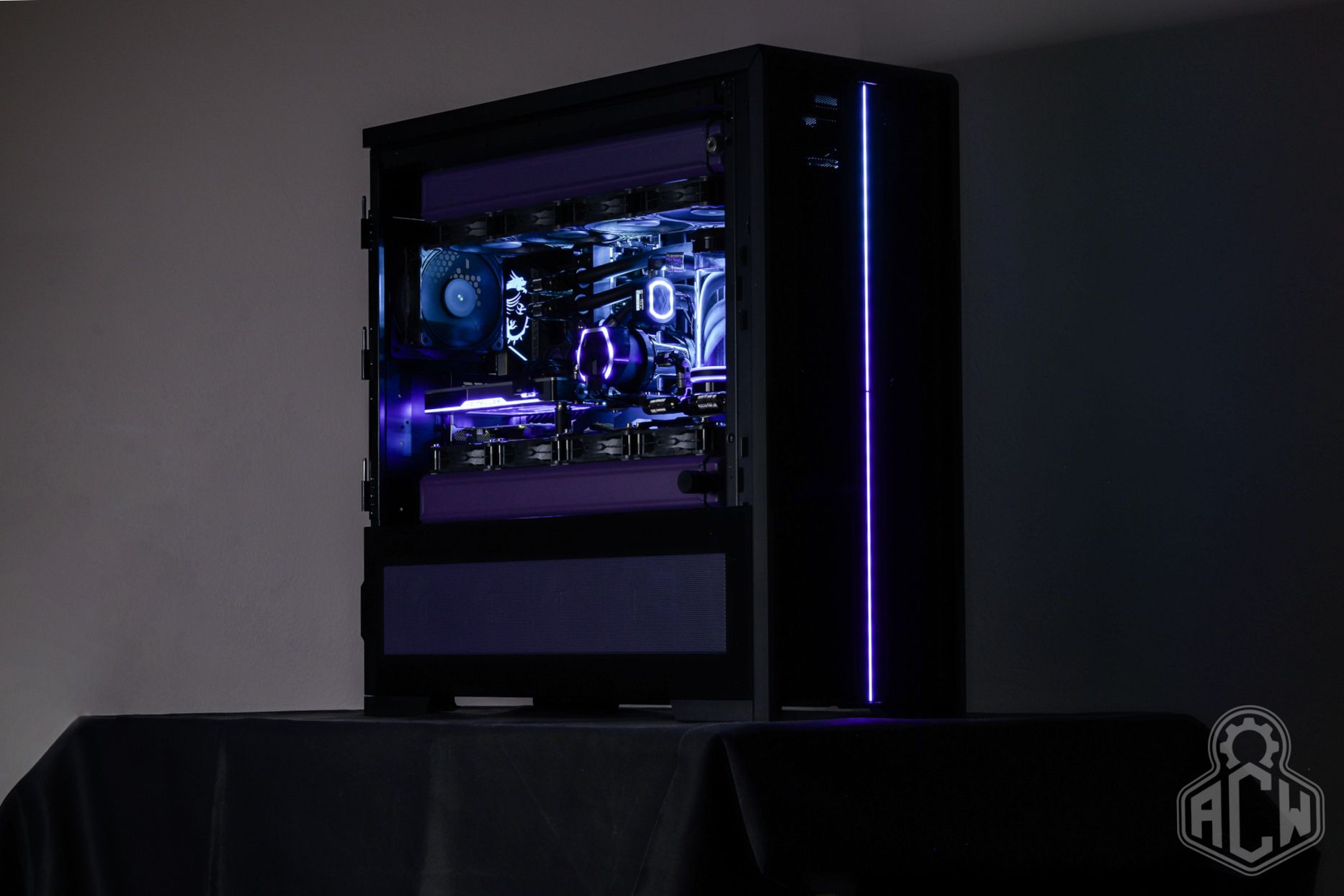
To increase the coolant capacity and make use of the side space in the case, we installed the EK-Quantum Volume FLT 360 D-RGB reservoir. It has a capacity of approximately 350 ml and, in addition to the inlet and outlet ports, features two additional G1/4” threads, into which we installed temperature sensors. It also features elegant ARGB lighting.
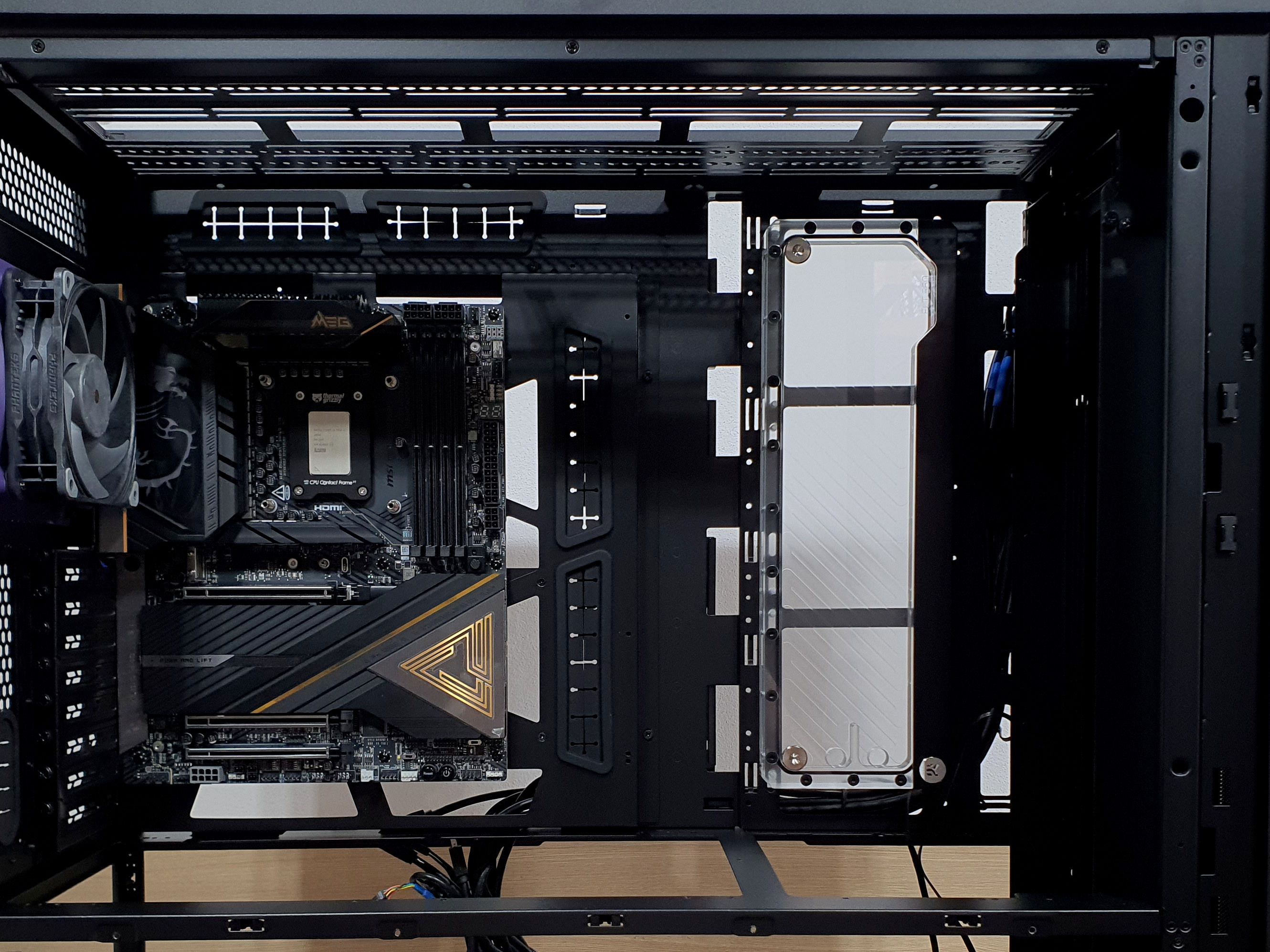
Although we haven’t used EK products for quite some time for various reasons, this is a relatively unique product with no alternative on the market, much like their drain valves.
⛽Pump Aquacomputer D5 Next
The coolant circulation in our loop is handled by a pair of Xylem D5 PWM pumps in a special Aquacomputer Next modification. This adds a control module with USB communication to the base D5, enabling intelligent programming and monitoring of the pump, as well as failure alerts and subtle lighting.
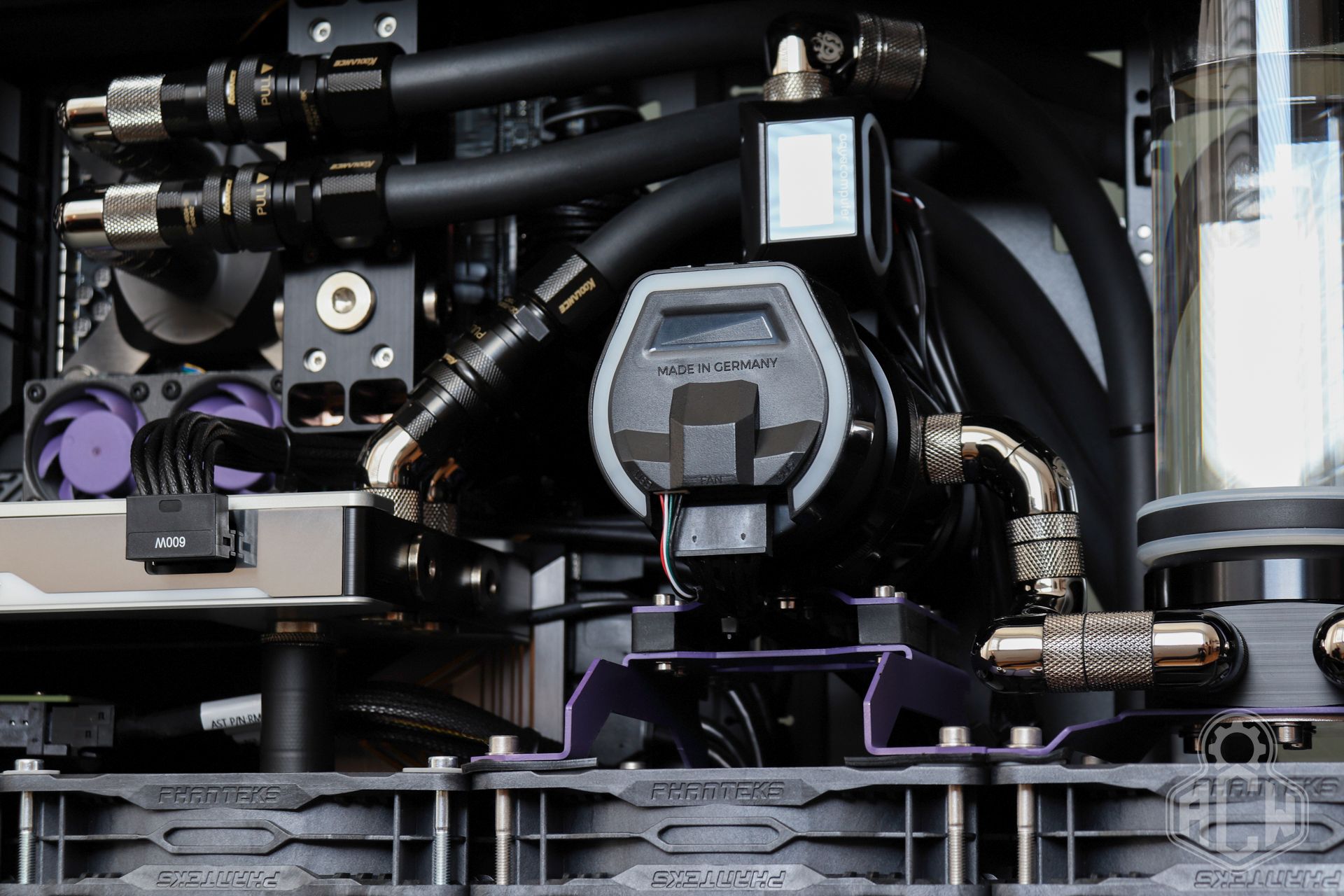
Although a single such pump is sufficient for the circuit’s operation, we opted for a dual series configuration. This allows for lower operating speeds, resulting in significantly reduced noise levels. At the same time, it provides redundancy in case of a failure—if the rear pump fails, the loop can continue to operate using the front pump. If the front pump fails, replacement is possible within a few minutes.
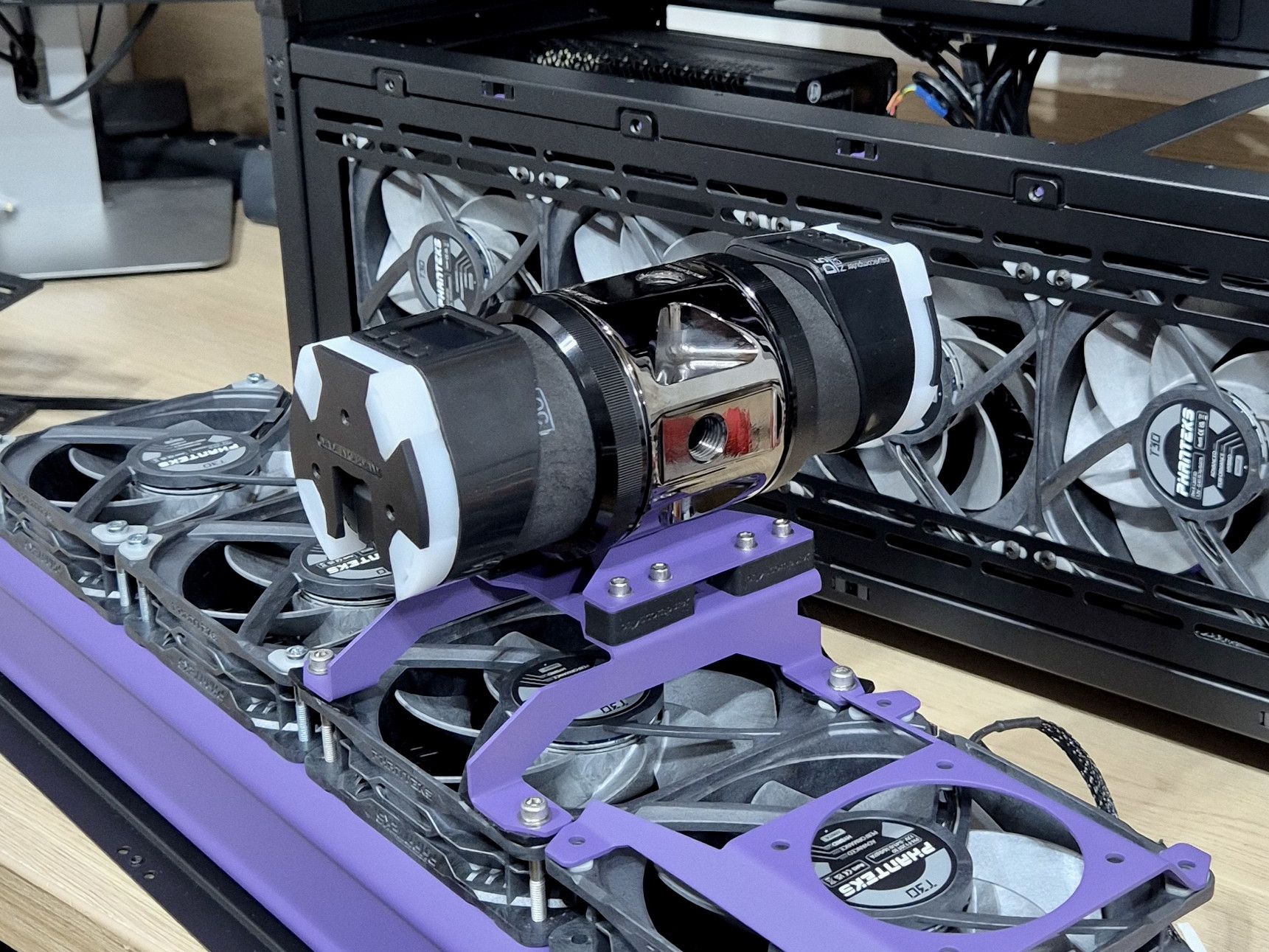
The pumps are connected via an all-brass Aquacomputer Ultitop Dual Brass head. The material density, its weight, and the silent-block mounting system further contribute to complete noise reduction.
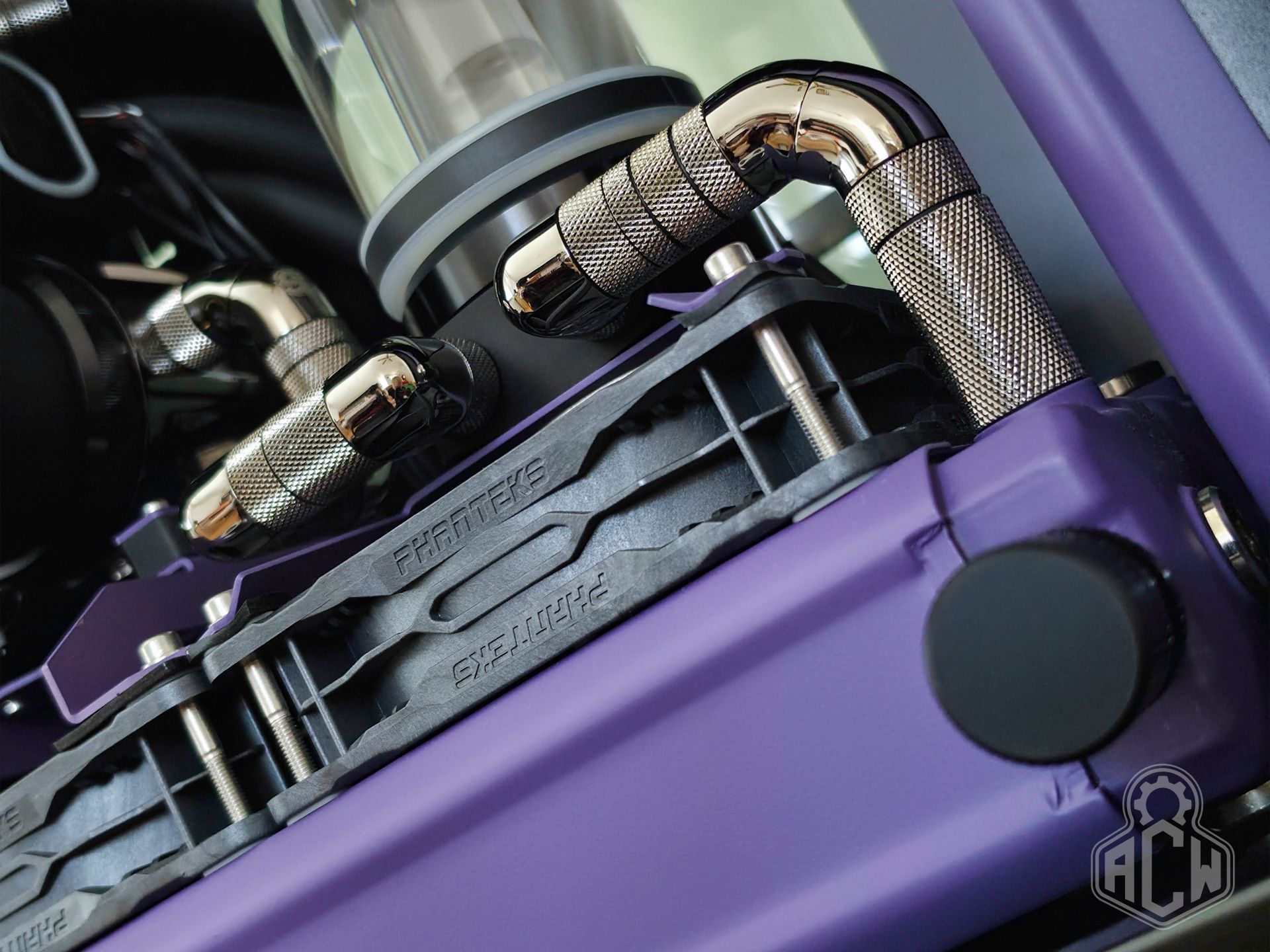
👨🏻🔧Fittings Bitspower Black Sparkle
For the rigid sections of the tubing, such as elbows and hose fittings, we used exclusively components from the Taiwanese company Bitspower in the Black Sparkle finish.
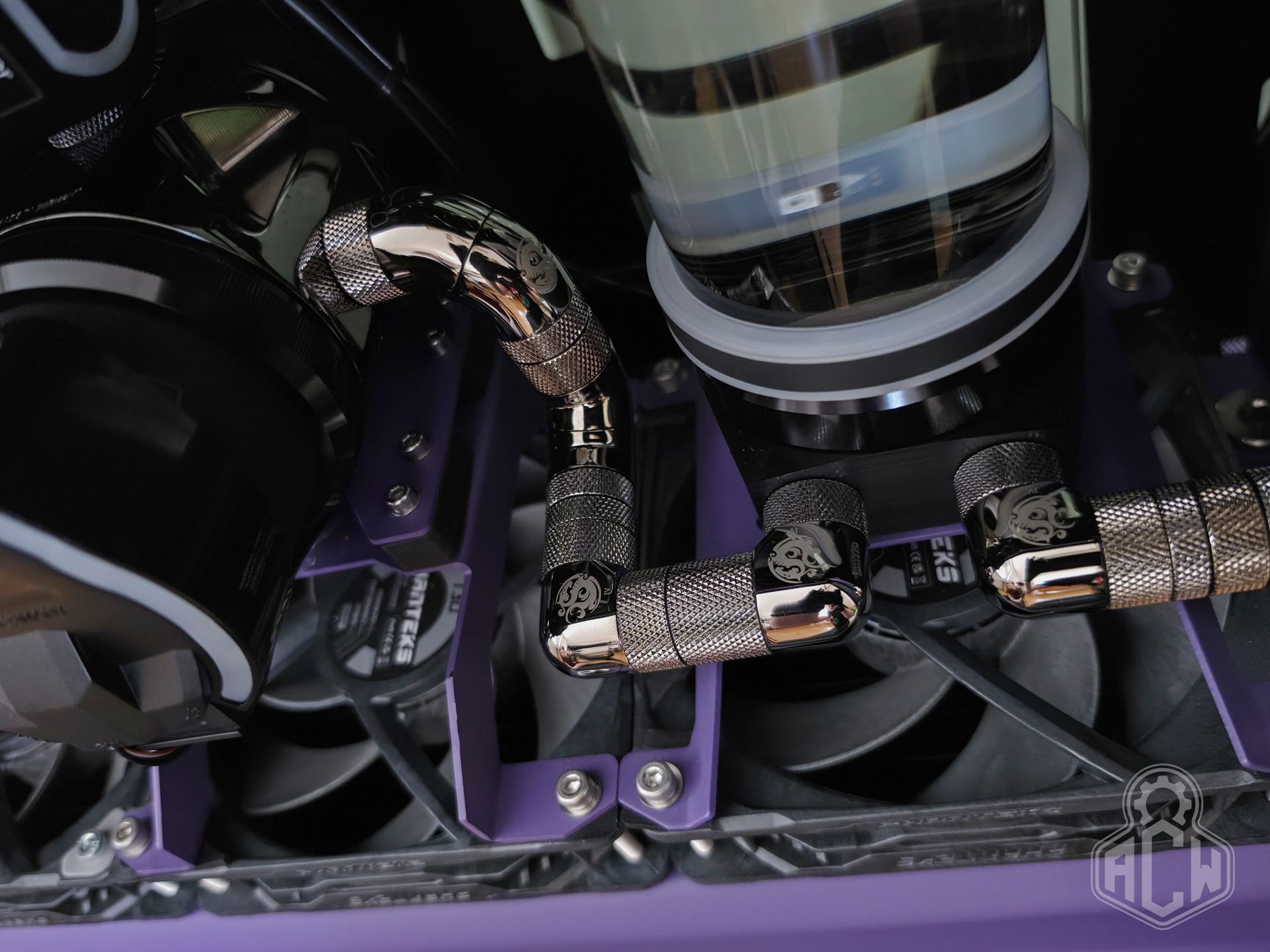
Their workmanship, the durability of the surface finish, and especially the long-term reliability and tightness of the rotating parts are unrivaled; it can be said that there is literally no higher-class product in this market segment.
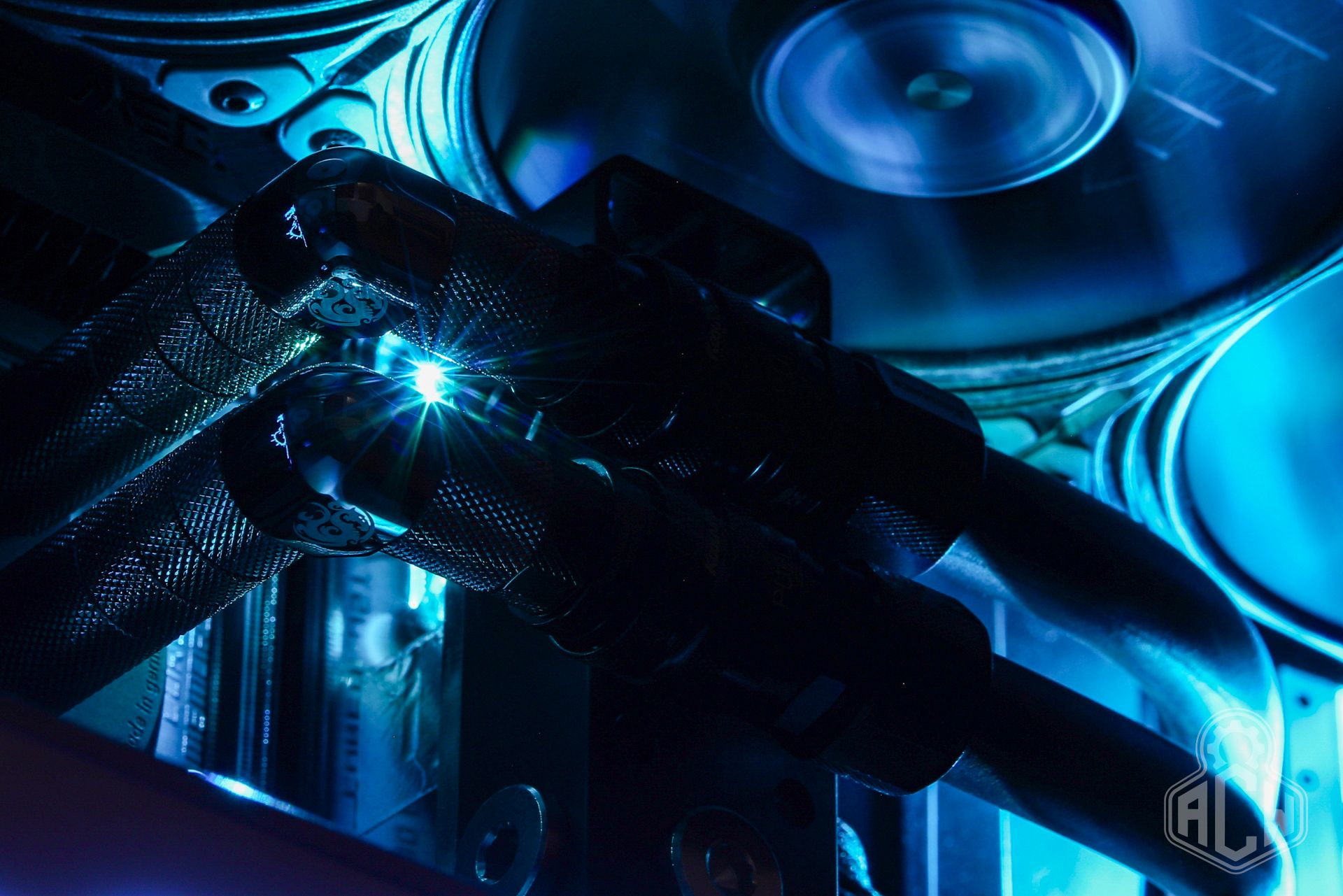
⛓️💥QD Couplings Koolance QD3
A component that reduces routine maintenance tasks such as refilling or troubleshooting to an absolute minimum. Koolance QD3 zero spill quick disconnect fittings are ideally suited for use in PC and server water cooling systems. In this setup, they are used to connect the CPU, GPU, and RAM blocks.
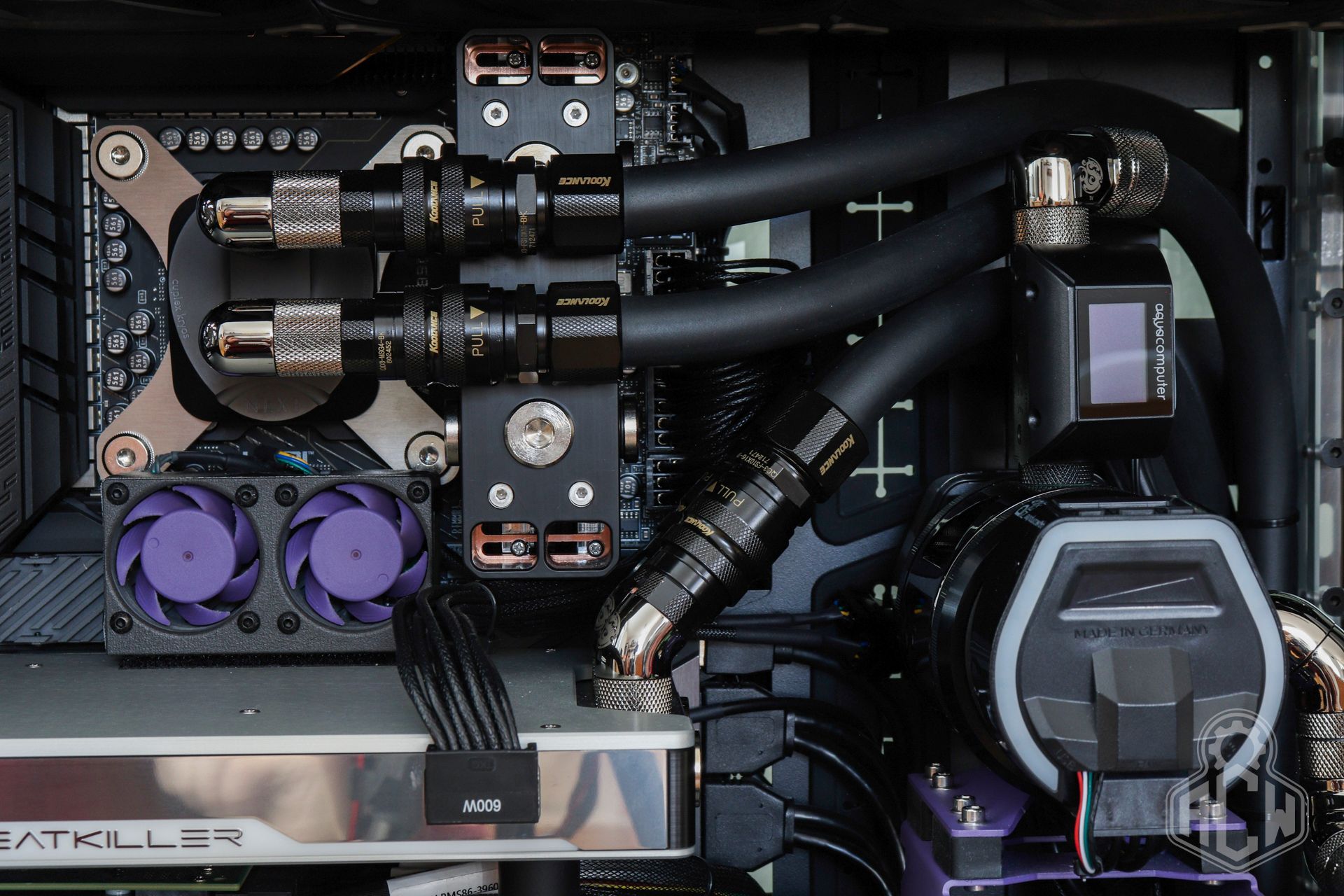
At the time the photo was taken, the RAM block was not yet physically connected to the water loop, which is why the third pair is not visible in the photo.
➰EPDM Soft Tubing EK-ZMT 16/10
Black hoses that doesn’t require complicated descriptions. Simply “Zero Maintenance Tubing,” which is visually appealing with its matte industrial look, yet is also chemically resistant and does not release degrading chemicals into the system.
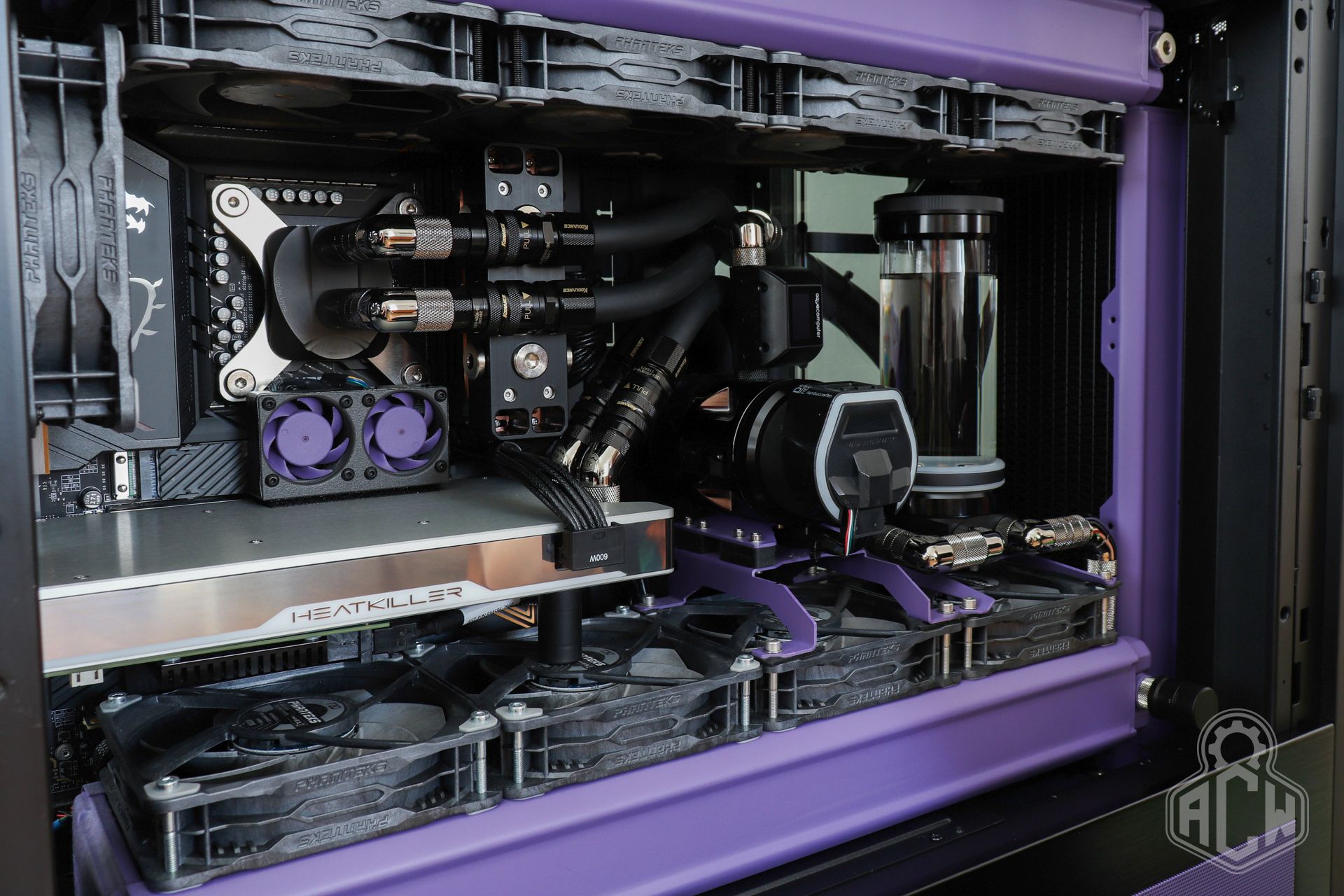
🌡️Module Aquacomputer High Flow Next
The Aquacomputer High Flow Next sensor module is responsible for monitoring the condition of the water loop. Its primary function is as a flow meter with a visual indicator, but it can do much more. In addition to flow rate, the built-in display also shows the coolant temperature, including the secondary temperature from an external sensor.
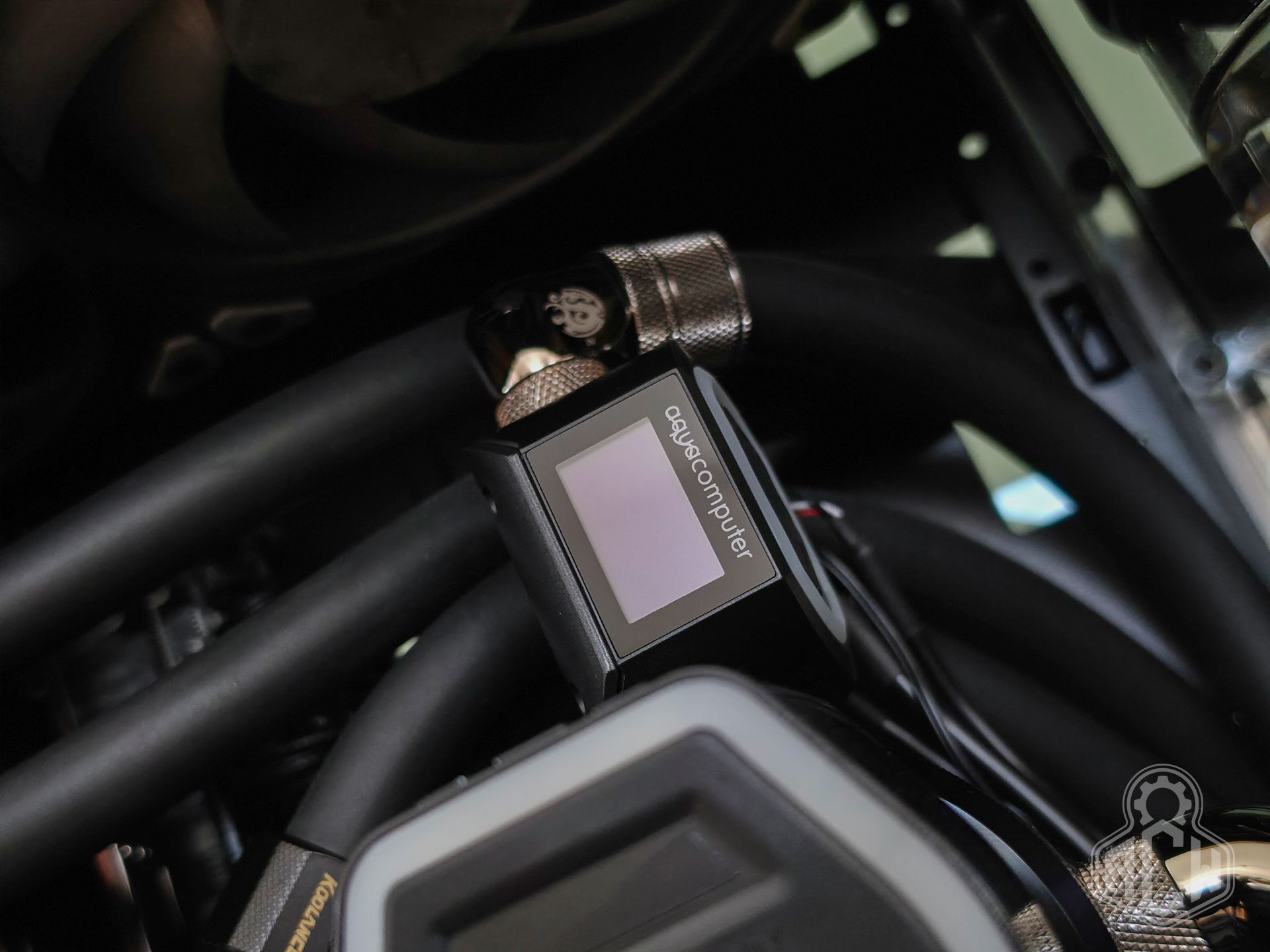
It features a liquid conductivity sensor, which determines the coolant’s quality and alerts you when it’s time for a replacement. Its LED indicator is programmed by default to show the liquid flow at a glance; the speed of the light effect changes depending on the flow rate. All this information is transmitted via the USB bus to the Aquasuite control software; it is also compatible with HWInfo. It also allows you to set an audio-visual alarm in case of exceeding a critical temperature, loss of flow, or exceeding the coolant’s lifespan.
🌀Fans Phanteks T30 & Noctua
No matter how high-quality a heat exchanger you use, it will only be effective with properly sized fans. You simply want to force as much air as possible through the fins, at the highest possible pressure. If we want to cool such powerful hardware effectively and silently, we need a low-FPI heat exchangers with a massive heat-dissipating surface, plus a large number of fans running at the lowest possible RPM.
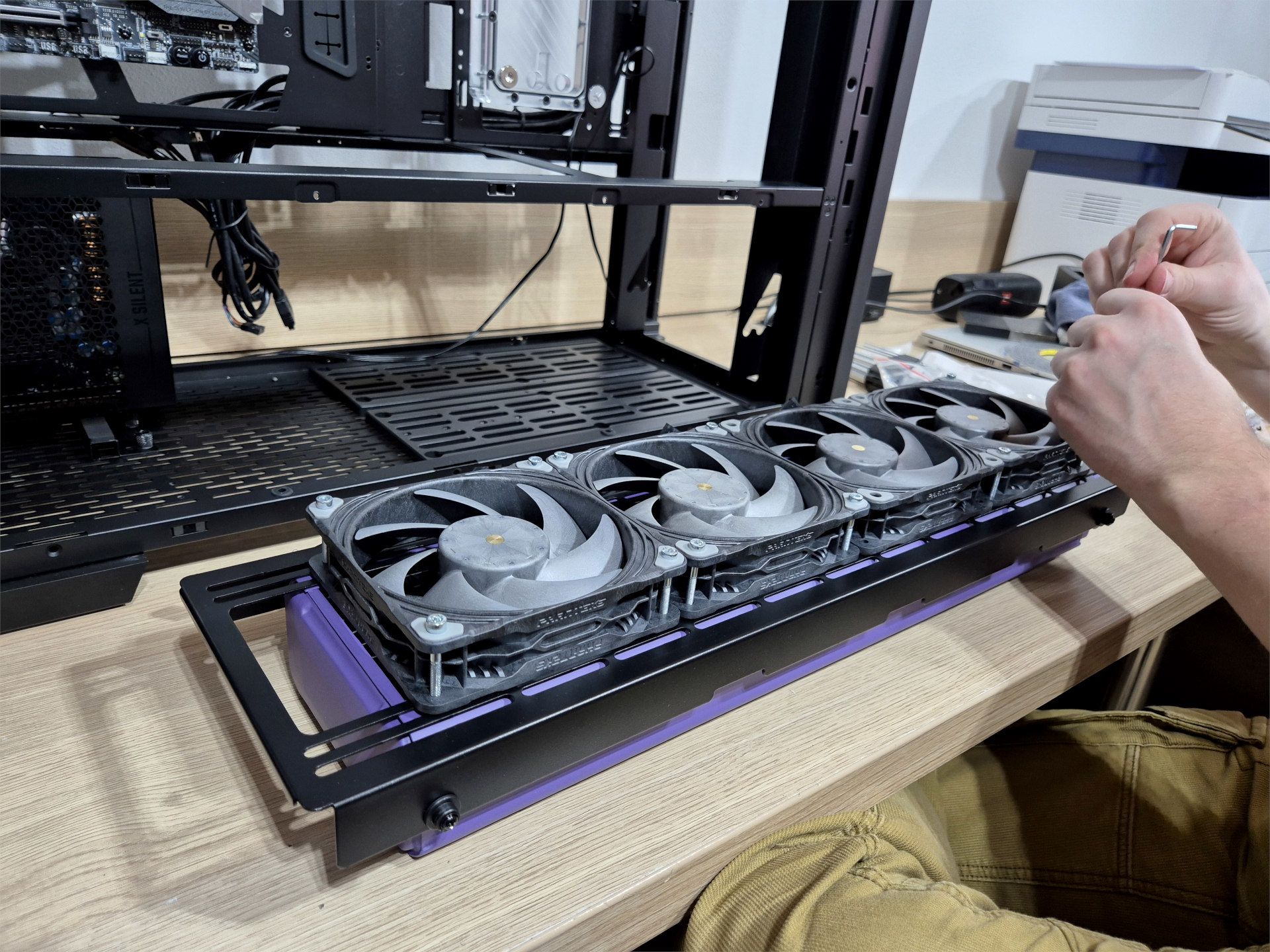
We opted for the proven, time-tested Phanteks T30-120. Its quality, performance, and especially its acoustic performance rank it among the best you’ll find on the market. In our opinion, it has no competition. There are a total of 16 of them in the setup—four on each radiator.
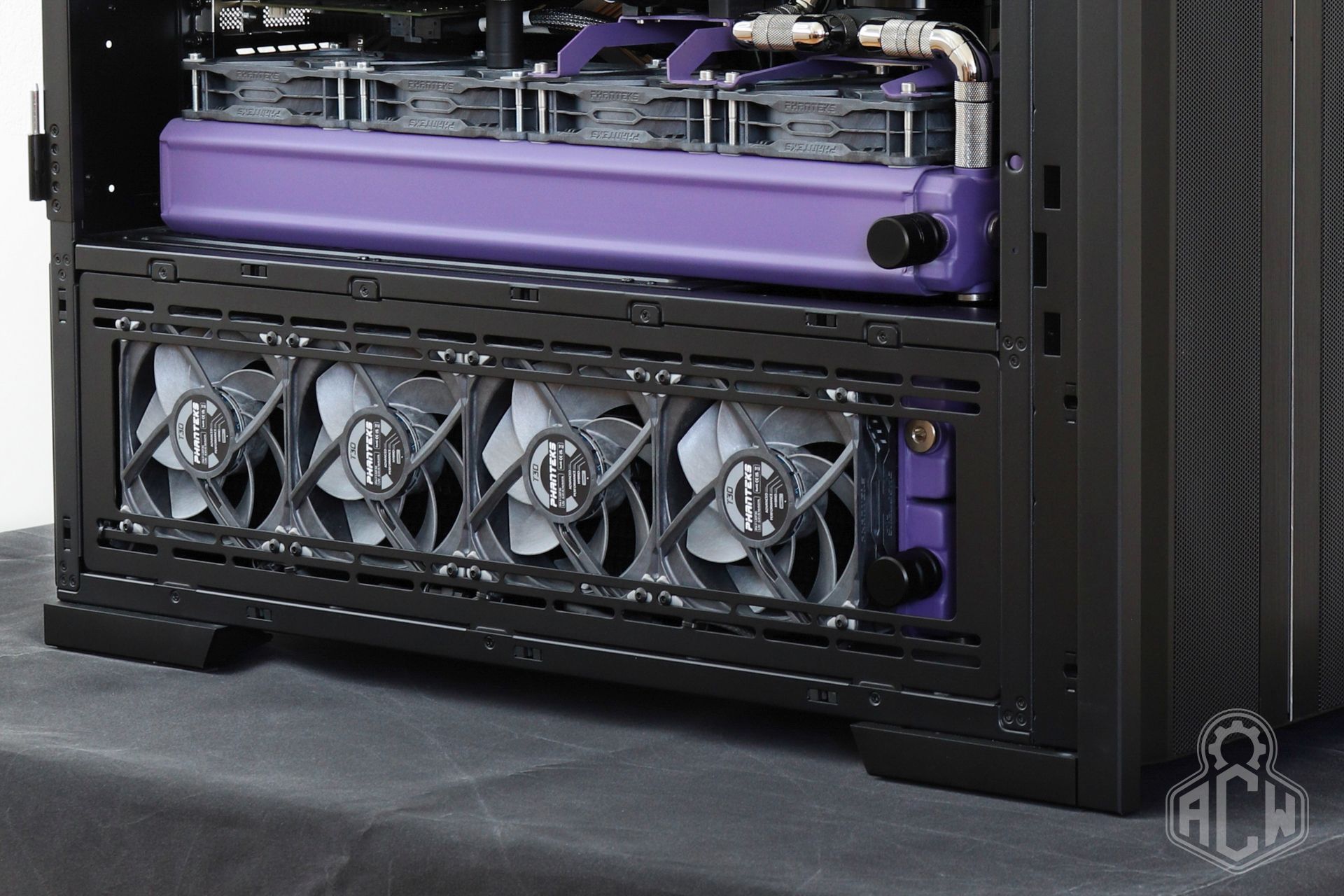
The exception is the top radiator, which is mounted on both sides in a so-called “push-pull” configuration to improve hot air extraction. However, due to their 30mm profile, the T30s interfere with the top case cover, so Noctua NF-A12x25 G2 fans of similar quality were chosen for this hidden location.
🛠️Loop care and maintenance
The coolant used is Aquacomputer D5 Ultra, a colorless water and ethylene glycol-based mixture with a slightly oily consistency, which makes it compatible with flow meters, pumps, and the internal mechanisms of quick-connect fittings. It protects the loop from corrosion, has biocidal properties, is chemically stable, and is gentle on nickel coatings on the blocks. The manufacturer recommends an annual replacement interval.
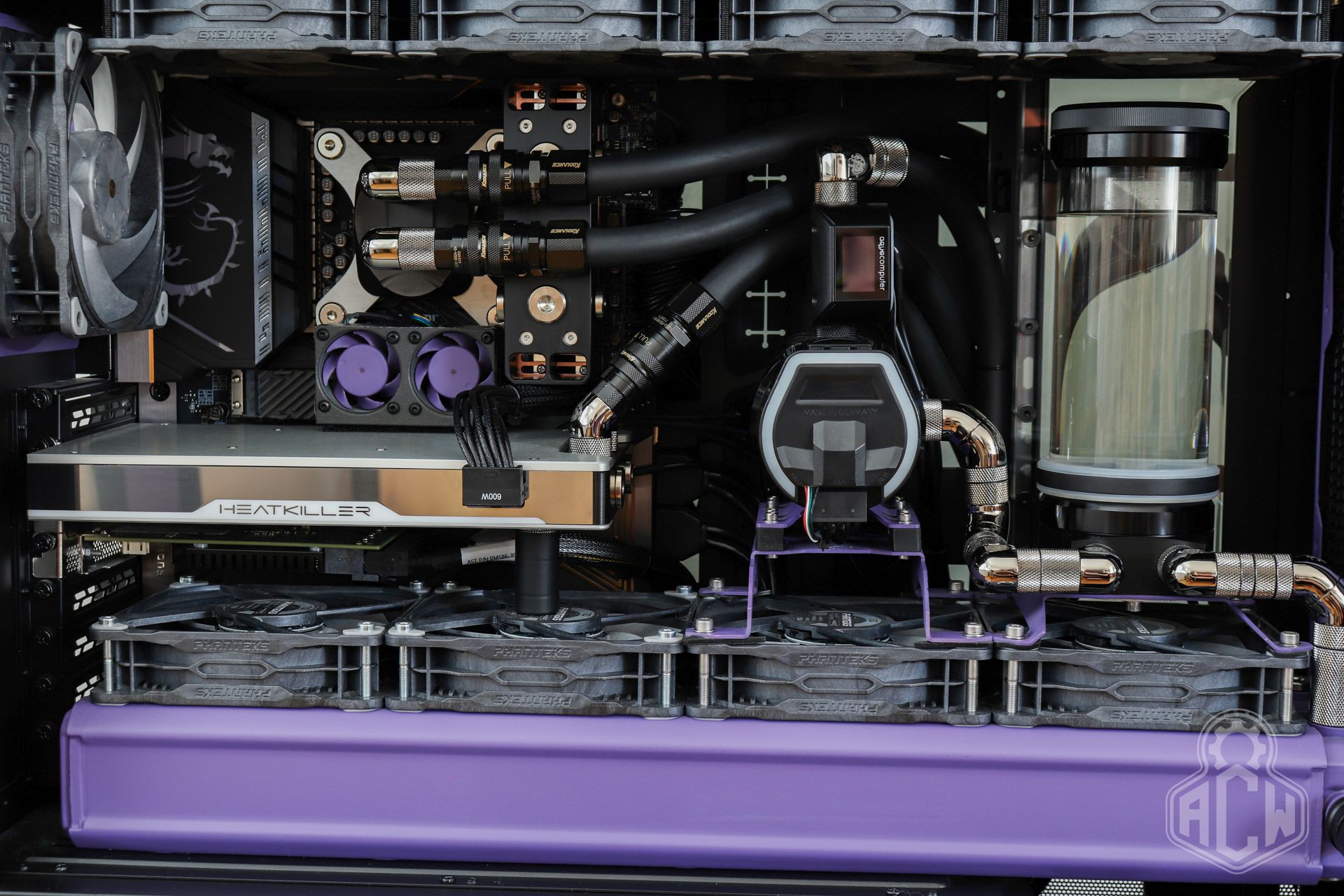
In practice, however, with well-designed circuits, it is common for this fluid to retain its properties for much longer. In extreme cases, we have even encountered 5-year-old fluid levels without any apparent issues.
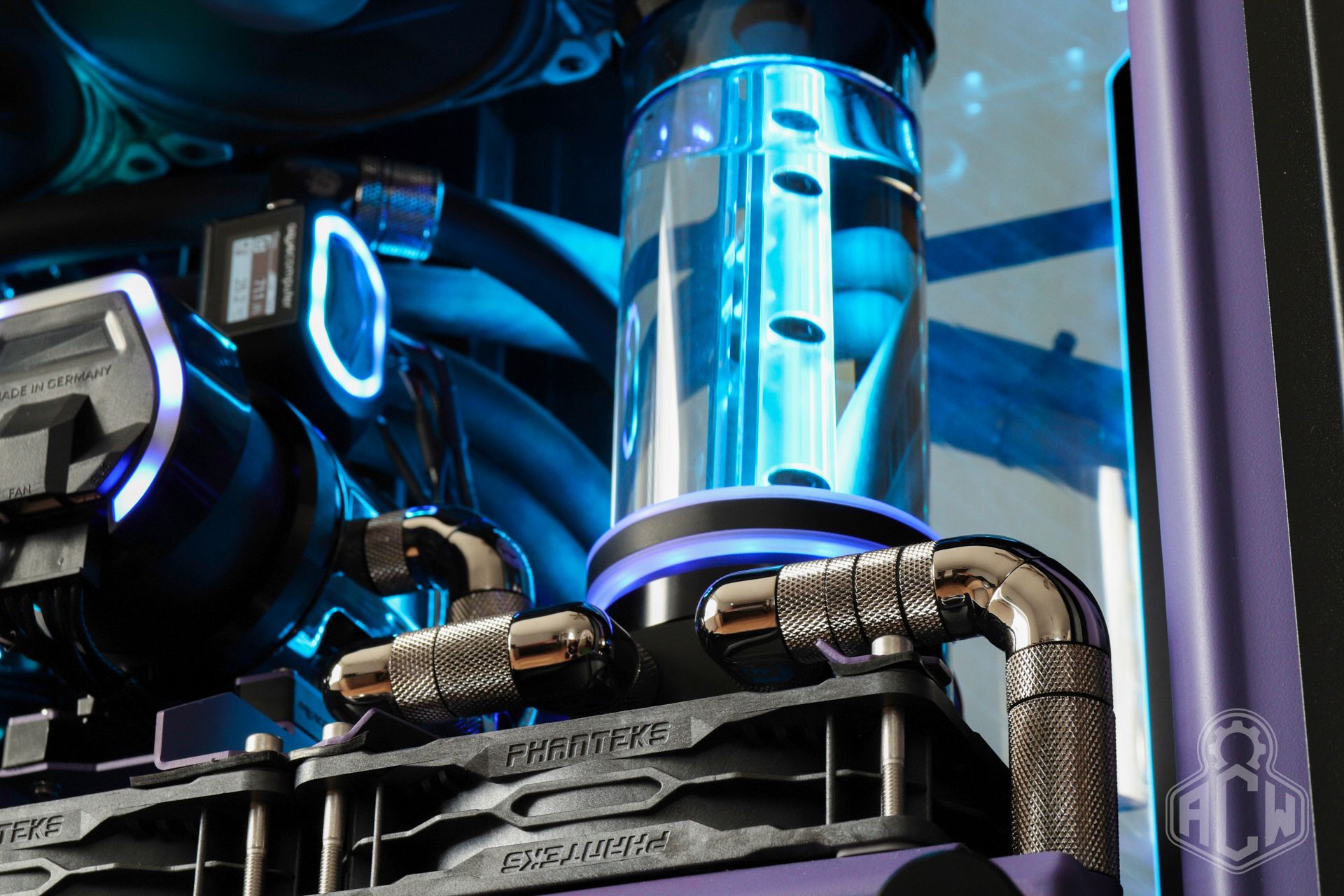
The cooling circuit is equipped with a bleed valve on the top radiator and a total of three EK-Quantum Torque drain valves. When servicing the pumps or cleaning the filter, simply drain the coolant from the central radiator; replacing the computer’s logical components does not require draining the circuit at all.
🔎Accessories, features & modifications
The first things to catch your eye are the color-accented elements—such as the radiators, mounts, and side grilles—which have been repainted in a matte purple shade reminiscent of SUN Microsystems workstations from the turn of the millennium. We’ve also incorporated this color into our corporate identity.
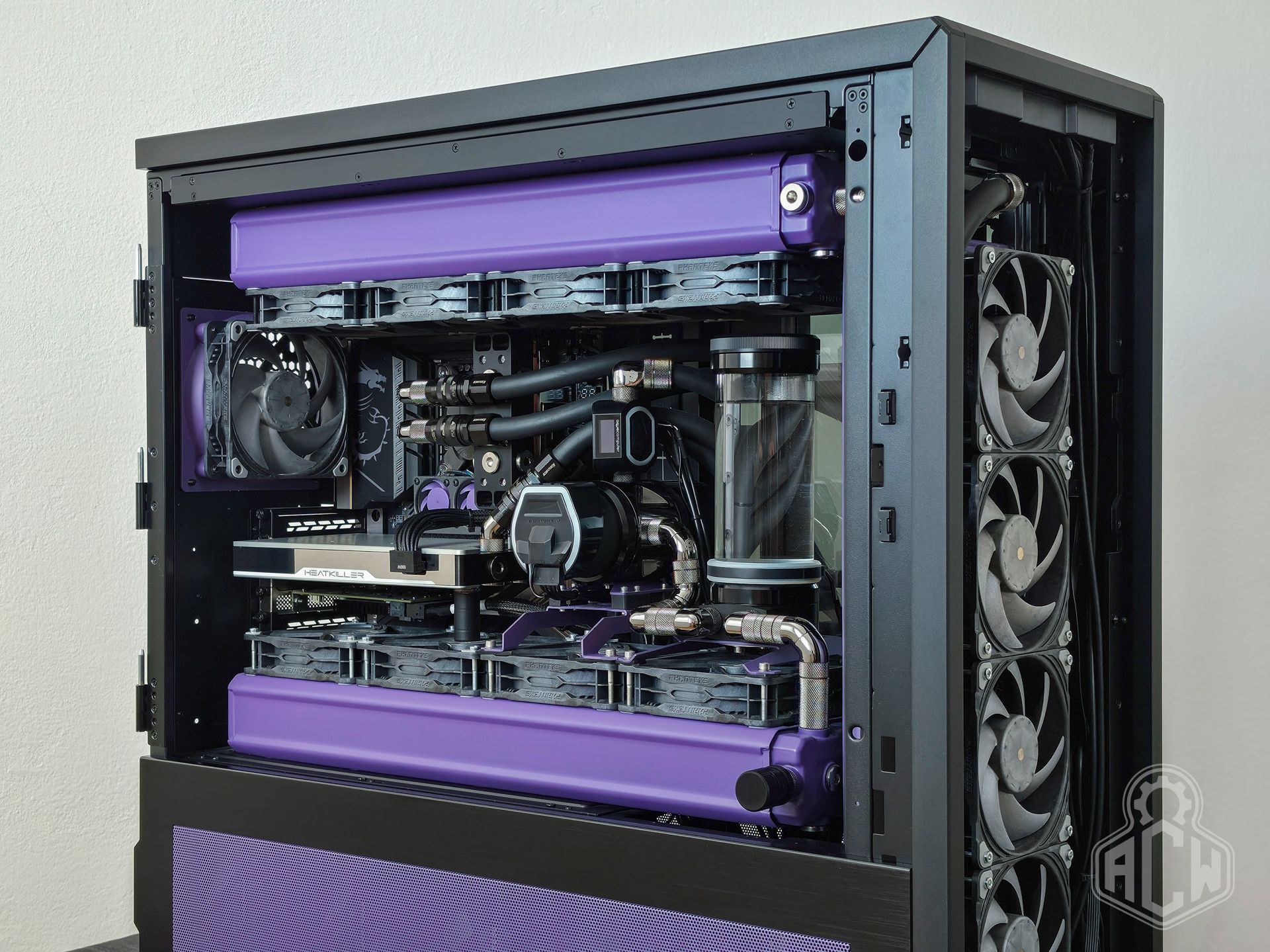
We customized the Lian Li V3000+ case with aftermarket parts from ColdZero. Specifically, the top fan mounting platform with circular holes (unlike the stock version, it does not obstruct airflow in any way), full covers around the MBD and GPU I/O panels, and the PSU mounting platform, which allowed us to achieve optimal PSU orientation—it is positioned so that fresh air flows through it to the side radiator fans, significantly lowering its temperature compared to the original orientation.
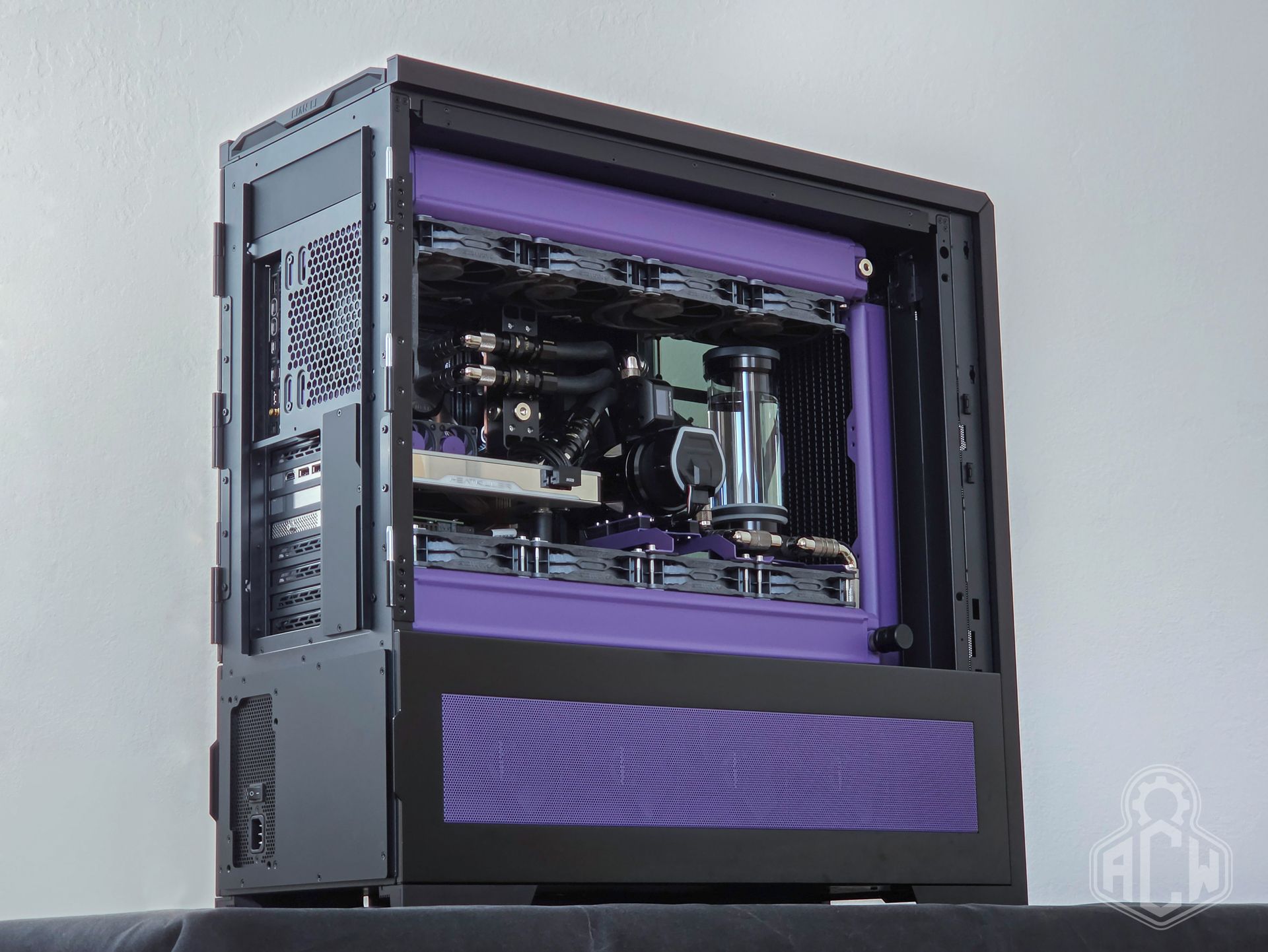
The aforementioned PLX controller for U.2 drives is “raised” higher via an ADT-Link PCI-E x8 riser and mounted through a modified I/O shield. Without this modification, using the controller would not be possible, as there is a radiator located in front of the PCI-E x16 slot on the motherboard.
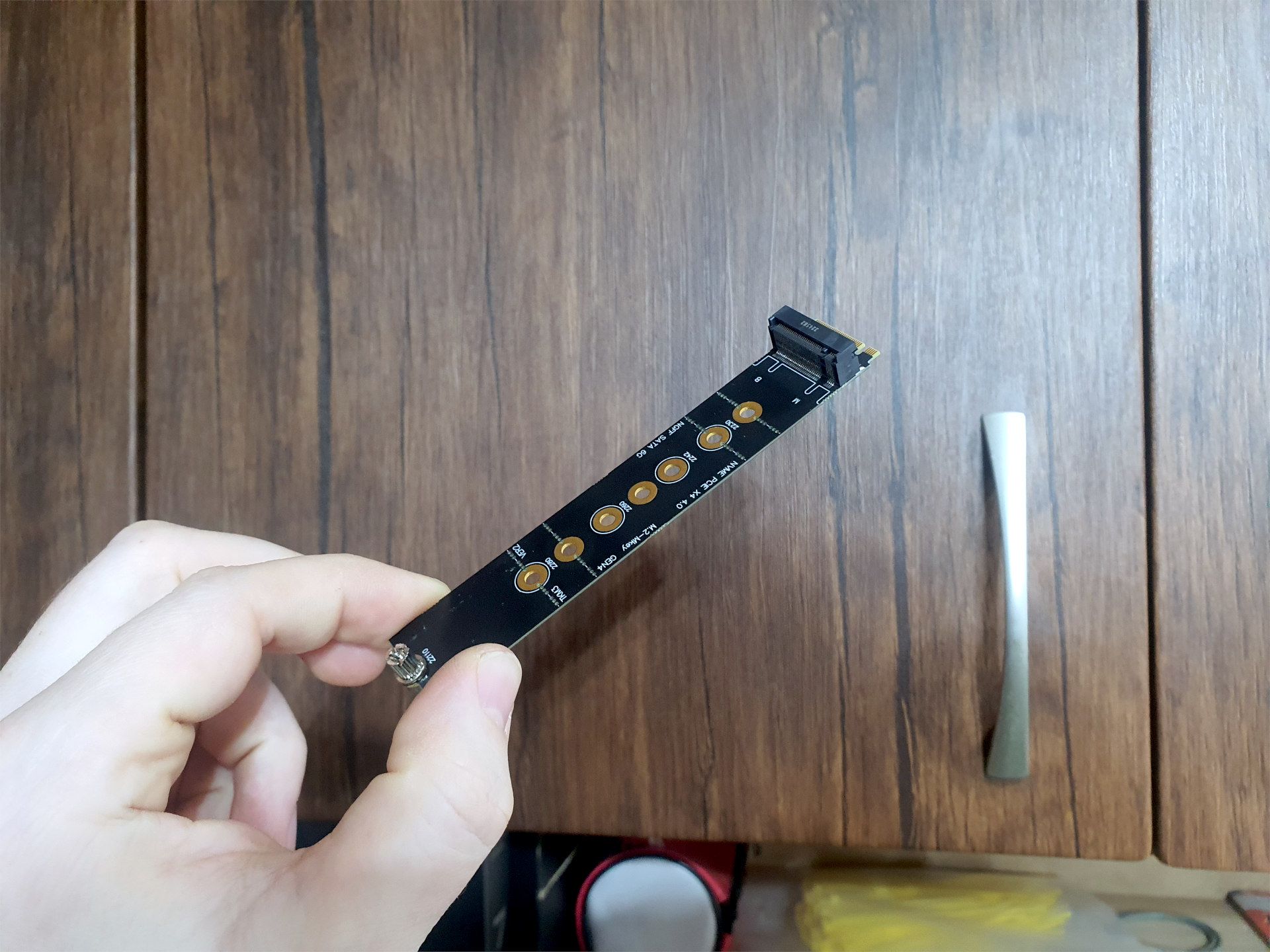
Installing the M.2 22110 drive into the first M.2 slot on the motherboard required the fabrication of a custom M.2 riser with the highest possible connector height to ensure compatibility with the drive’s heatsink.
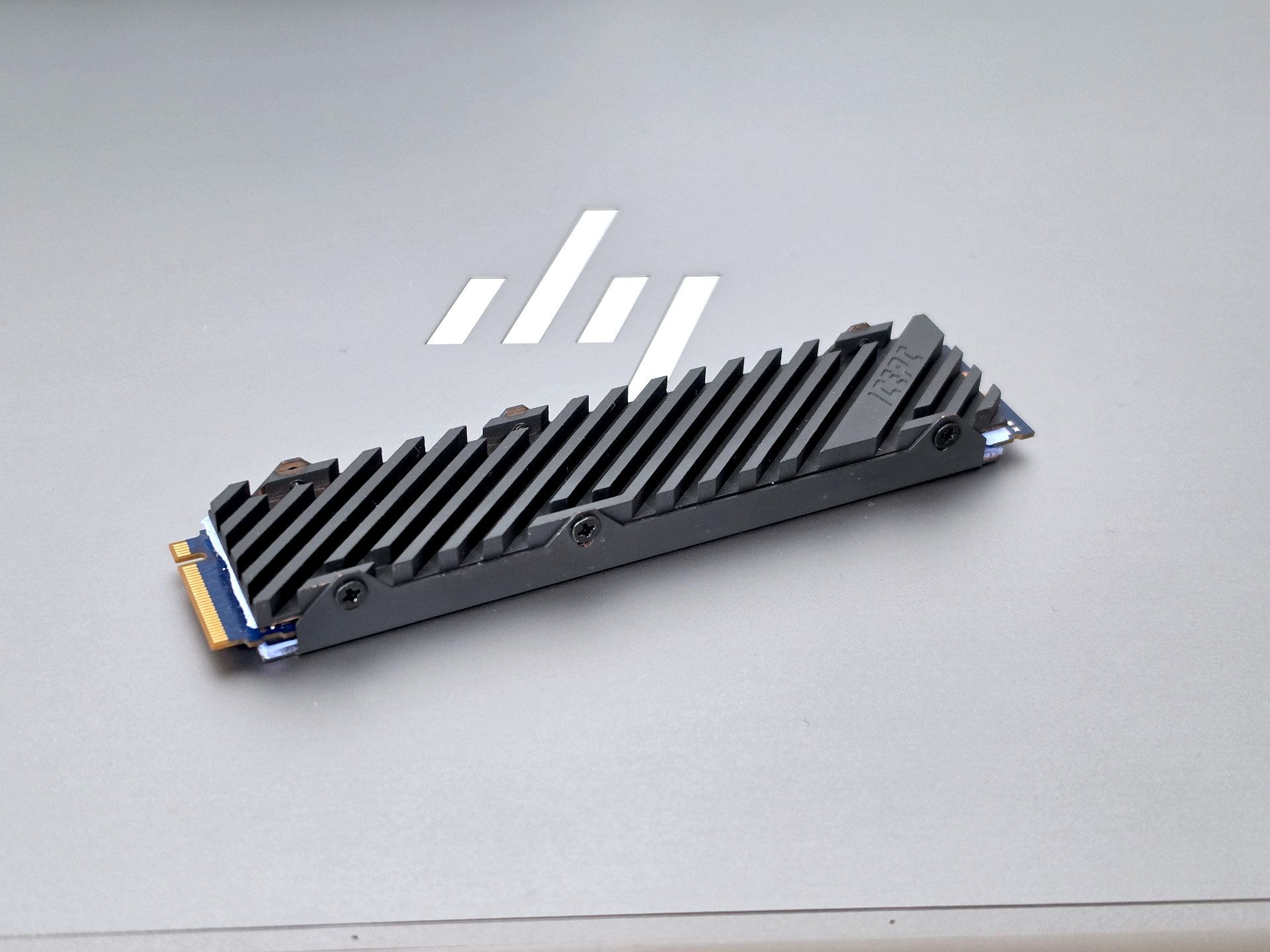
We equipped the heat-intensive Optane M.2 with an all-copper ICEPC heatsink and high-quality thermal pads from Alphacool.
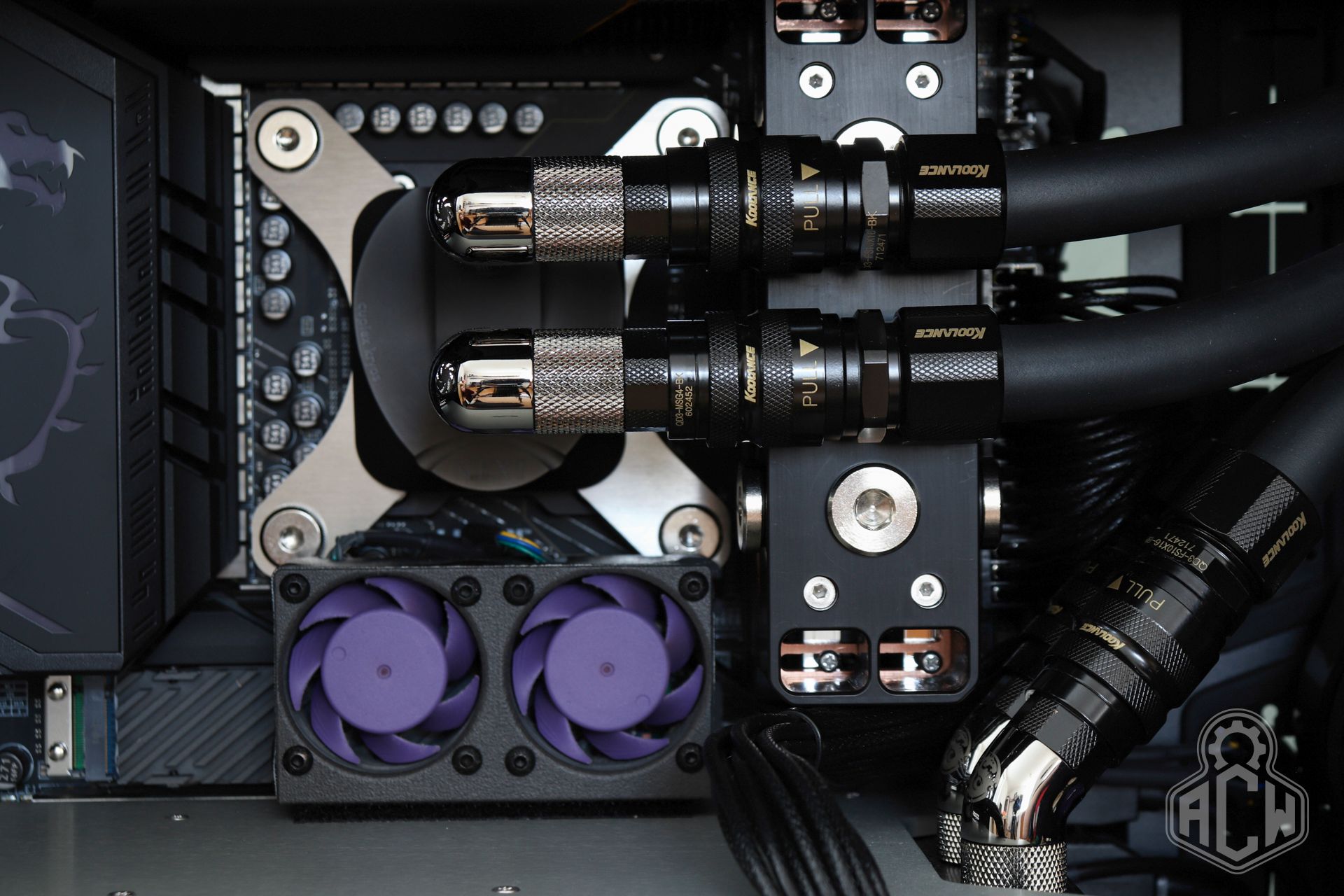
Since airflow in the area between the graphics card and the processor is very limited, and the Optane drive was overheating due to heat from the GPU and VRM, we created a mount for a pair of Noctua NF-A4x20 fans. These were color-matched to the build’s theme and installed in this space. They operate at an inaudible level and provide sufficient cooling for both the SSD and the VRM section of the motherboard.
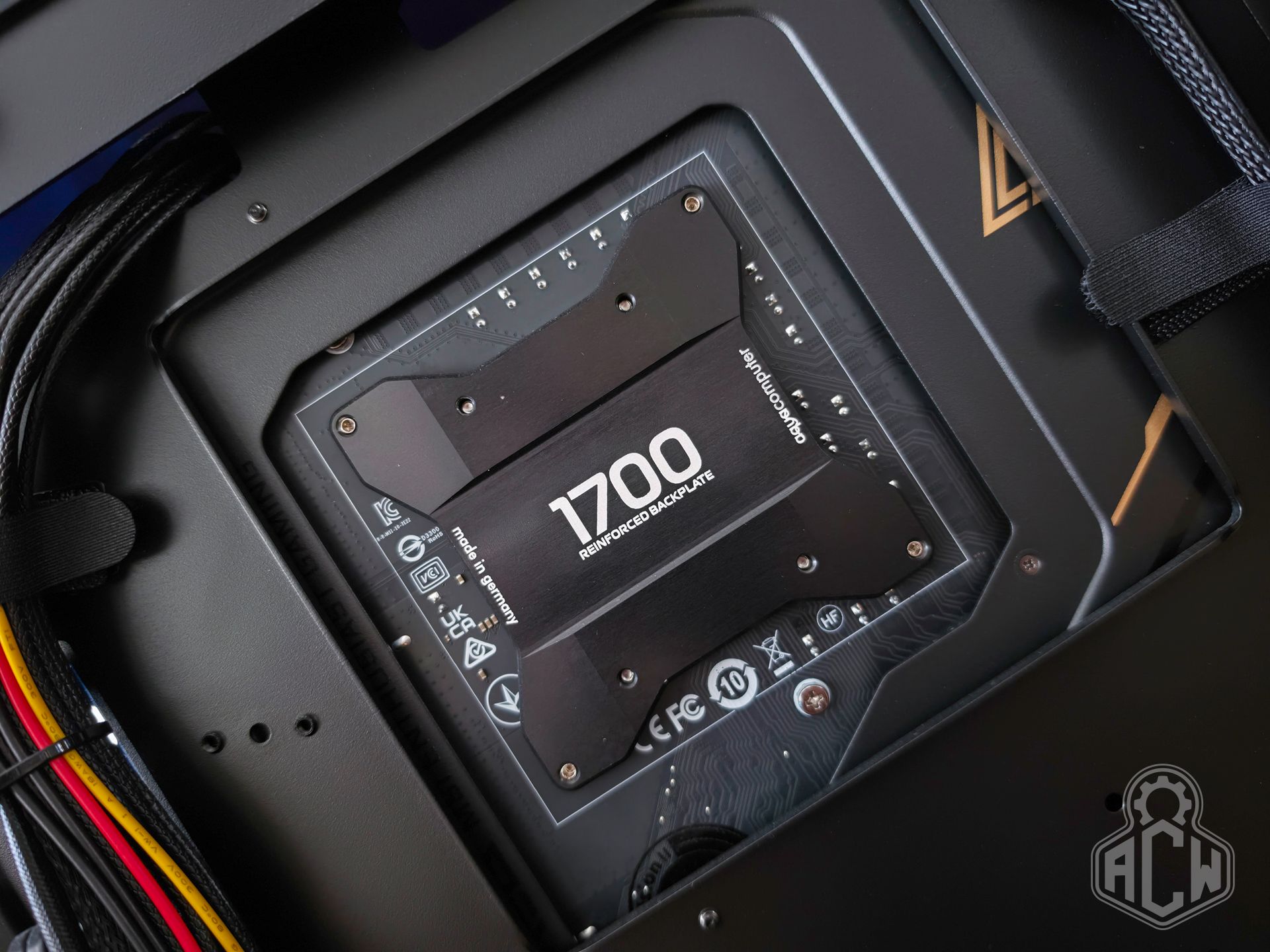
The CPU mounting is handled by a combination of the Thermal Grizzly Contact Frame V1 and an Aquacomputer aluminum backplate. This solution improves contact between the block and the IHS and prevents the CPU or motherboard from bending under higher mounting pressure.
4️⃣Operation
⚡Performance & Frequencies
Although we haven’t yet had the opportunity to perform any major overclocking, we are definitely not running on stock settings. The system features increased NGU and D2D multipliers, as well as several adjusted memory timings with TREFI 65535, which significantly reduces RAM access times. The graphics card was flashed to an 800W BIOS and further overclocked, reaching an extreme frequency of 3240 MHz. For safety, we performed test measurements on the 12V-2X6 cable in this mode, resulting in a stable +-11A on each conductor. There is no overheating of the conductors or connectors.
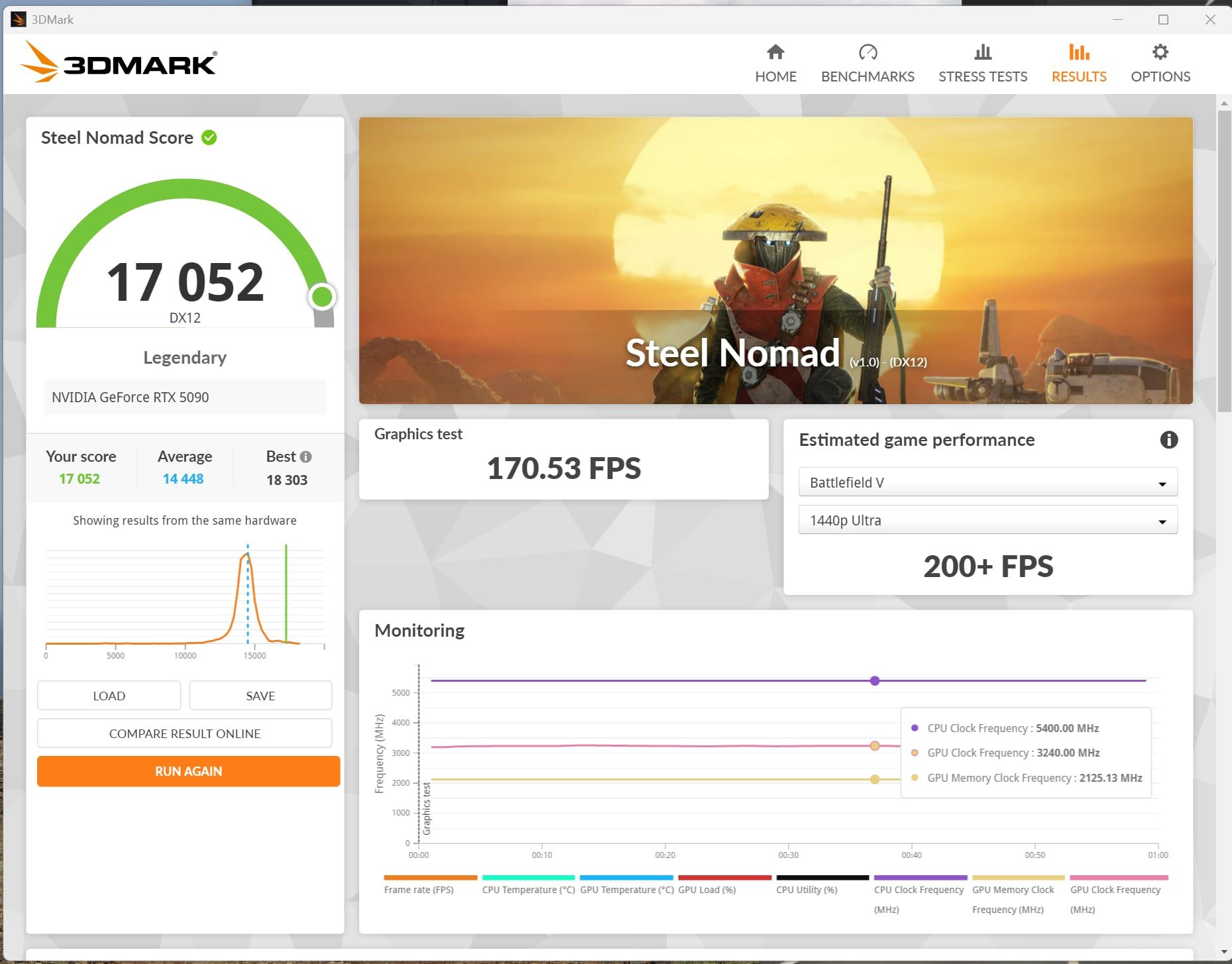
Despite the handicap (our card runs in PCIe x8/x8 mode, with the remaining x8 allocated to the disk controller), with this setup we regularly achieve a Steel Nomad score in the 17,000–17,100 range, outperforming even the Asus RTX 5090 Matrix itself.
🔥Temperatures and consumption
During normal operation, the system runs with a 250W CPU profile and a 625W GPU profile. The fans operate at 490–750 RPM with the coolant temperature staying below 39°C. With these settings, CPU temperatures under load hover around 60°C with occasional spikes in the 74–80°C range. For the graphics card, temperature spikes do not exceed 57°C. All of this occurs during inaudible to ultra-quiet operation with a flow rate of 66–140 L/h. Average CPU power draw during 4K Ultra gameplay of Space Marine 2 or The Witcher III ranges around 72–85W.
To test the circuit’s capacity and integrity, the system’s limits, and especially the power supply, we conducted a test in which we completely unlocked the CPU’s current limits and switched the GPU to 800W mode. We then subjected all components, including all seven drives, to maximum load for several hours. The maximum power draw from the “PSU IN” exceeded 1400W, representing approximately 1300W of power delivered to the PC; the remaining 100W was heat dissipated by the power supply. The temperature in the intentionally unventilated room exceeded 30°C. Even under such extreme load, however, the power supply’s hotspot did not exceed 98°C, which is still 12°C below the manufacturer’s recommended maximum. The system showed no signs of instability or leakage.
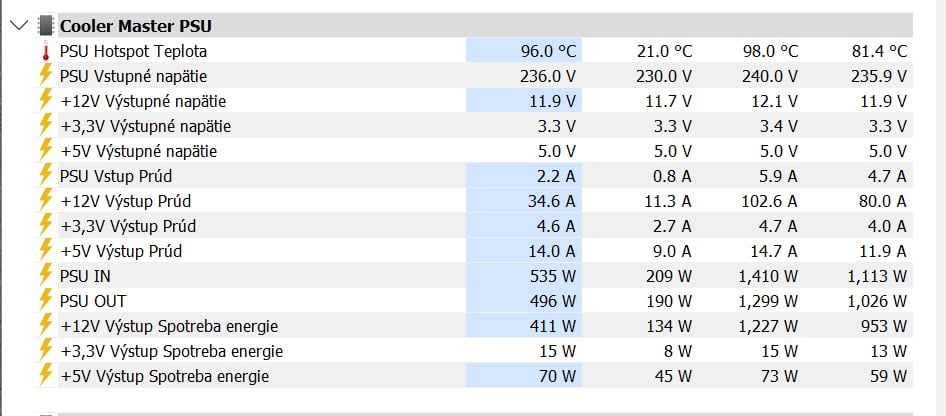
It should be noted here that, despite this truly grueling test, the system remained quiet. If necessary, the fans can be switched to a higher speed at any time, at which point the cooling system could easily handle multiple RTX 5090 cards—though this would require upgrading the power supply.
5️⃣Conclusion
🥵 It took us nearly 19 months to complete this project. That’s an insanely long time for something as simple as a computer build, no matter how complex it is. However, we basically only worked on the project in our spare time. A lot of time was spent waiting for the delivery of components and custom parts. Some items needed to be modified, while others had to be designed and manufactured from scratch. We didn’t receive any parts as sponsorships; we purchased everything with our own money. The total financial cost of this build gradually reached €13,583, which is still a reasonable figure given the current market situation. Today, we would no longer be able to build this setup again, whether due to prices or the unavailability/EOL status of many components.
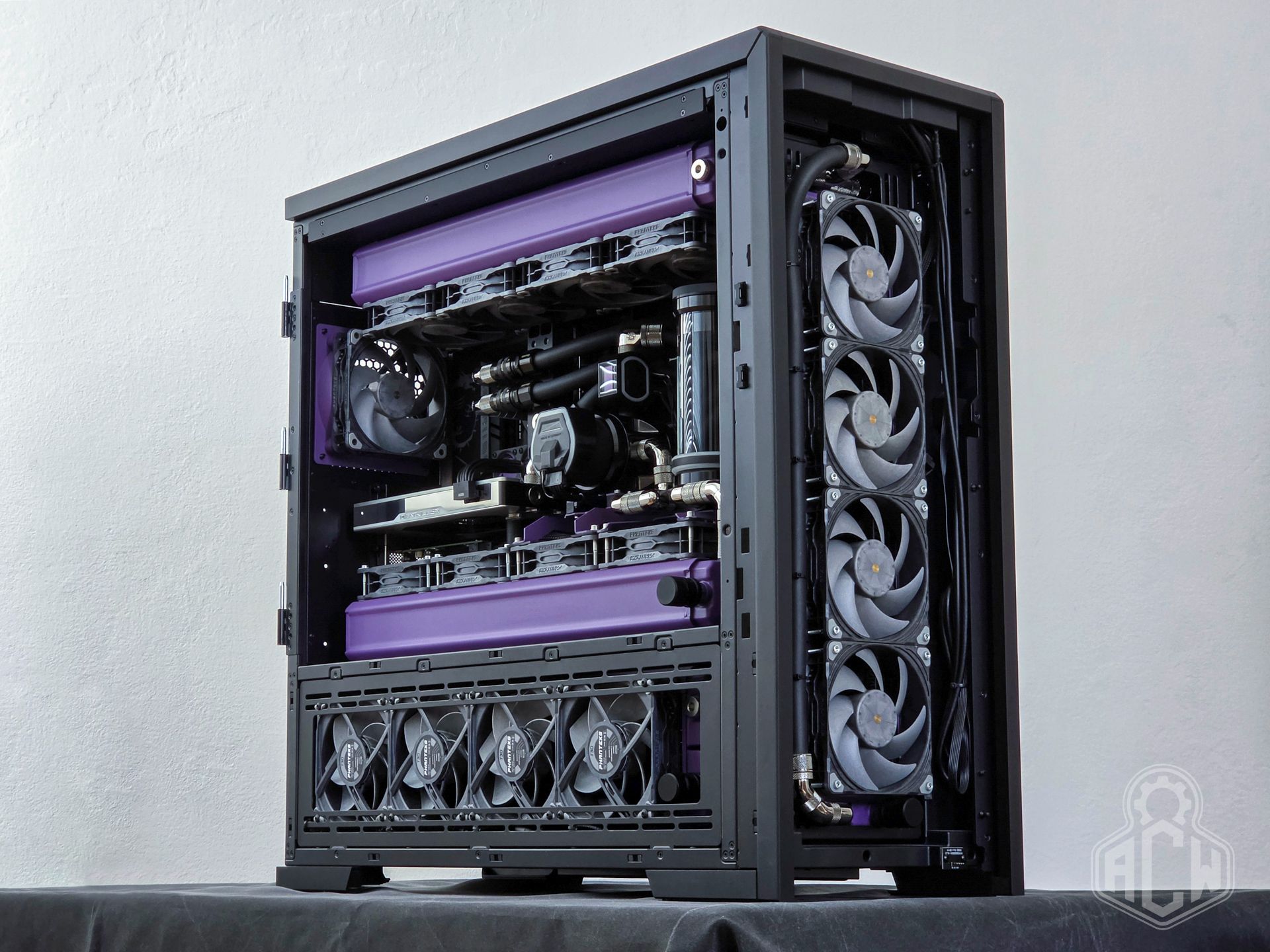
🎉 In light of these facts, we can say that we are satisfied with the result. The build met our expectations in every way, served as an interesting promotional and demonstration piece, and was the subject of many discussions with clients who had the opportunity to see it in the workshop. And most importantly, it brought us joy in our work.
🍀Thank you for your time and attention🍀
Matej Uríček - ACW Servis
Did this article capture your interest?
If you are facing a similar issue with your machine, or you are looking for reliable IT professionals, we will be glad to help.
Contact the service